

由于直接硬件访问和最小的运行时开销,内核开发传统上是 c++ 的领域。然而,c++ 由于其面向对象的特性而在内核编程中找到了自己的位置,这可以带来更干净、更易于维护的代码。本指南将逐步介绍如何使用 c++ 进行内核开发,重点是设置环境、构建项目以及使用 c++ 功能编写内核代码,同时牢记内核编程的独特要求。
访问此处查看更多文章。
如果您只是寻找完整的文章,请访问。 genx旅程
sudo apt-get install build-essential cmake
对于内核头文件,如果您使用的是标准发行版:
sudo apt-get install linux-headers-$(uname -r)
   kernel-cpp/
   ├── build/
   ├── src/
   │   ├── drivers/
   │   ├── kernel/
   │   ├── utils/
   │   └── main.cpp
   ├── include/
   │   ├── drivers/
   │   └── utils/
   ├── cmakelists.txt
   └── kconfig
让我们从一个简单的内核模块开始作为示例:
#include <linux/init.h>
#include <linux/module.h>
#include <linux/kernel.h>
#include <cstddef>

module_license("gpl");
module_author("your name");
module_description("a simple c++ kernel module");

static int __init hello_cpp_init(void) {
    printk(kern_info "hello, c++ kernel world!\n");
    return 0;
}

static void __exit hello_cpp_exit(void) {
    printk(kern_info "goodbye, c++ kernel world!\n");
}

module_init(hello_cpp_init);
module_exit(hello_cpp_exit);
cmake_minimum_required(version 3.10)
project(kernelcppmodule version 1.0 languages cxx)

# define kernel version
set(kernel_version "5.4.0-26-generic")

# include directories
include_directories(/usr/src/linux-headers-${kernel_version}/include)

# source files
set(sources
    src/main.cpp
)

# compile settings
set(cmake_cxx_flags "${cmake_cxx_flags} -mno-pie -fno-pie -fno-stack-protector -fno-asynchronous-unwind-tables -fwhole-program")

add_library(${project_name} module ${sources})
set_target_properties(${project_name} properties prefix "")

# link against kernel modules
target_link_libraries(${project_name}
    private
        m
        ${cmake_source_dir}/usr/src/linux-headers-${kernel_version}/arch/x86/kernel/entry.o
)

# install the module
install(targets ${project_name} destination /lib/modules/${kernel_version}/extra/)
   mkdir build
   cd build
   cmake ..
   make
sudo make install
sudo insmod kernel-cpp.ko
使用以下命令查看输出:
dmesg | tail
在内核空间中,由于缺乏标准库,异常通常被禁用或需要特殊处理:
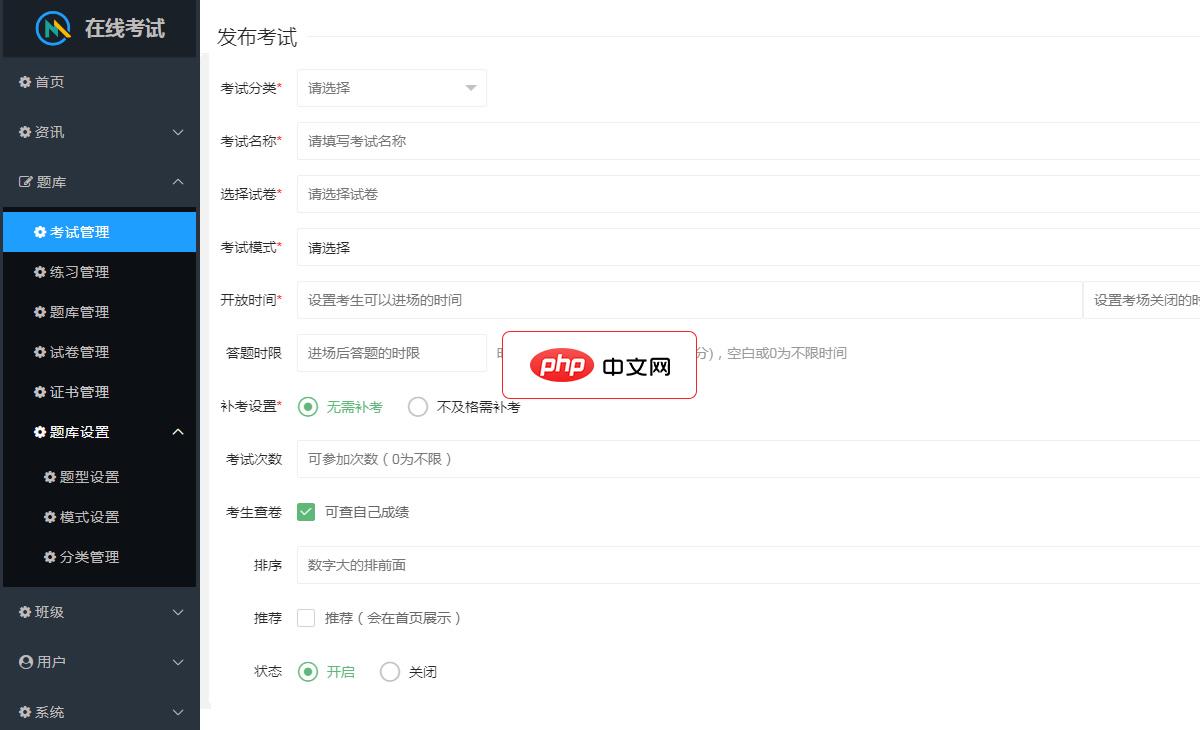
诚客在线考试是由南宁诚客网络科技有限公司开发的一款手机移动端的答题网站软件,它应用广泛适合各种学校、培训班、教育机构、公司企业、事业单位、各种社会团体、银行证券等用于学生学习刷题、员工内部培训,学员考核、员工对公司制度政策的学习……可使用的题型有:单选题、多选题、判断题支持文字,图片,音频,视频、数学公式。可以设置考试时间,答题时间,考试次数,是否需要补考,是否可以看到自己成绩。练习模式,支持学生
 0
0

// instead of exceptions, use return codes or error handling objects
int divide(int a, int b, int &result) {
    if (b == 0) {
        printk(kern_err "division by zero\n");
        return -einval;
    }
    result = a / b;
    return 0;
}
raii 原则在内核上下文中运行良好,有助于管理内存或文件描述符等资源:
class filedescriptor {
    int fd;
public:
    filedescriptor() : fd(-1) {}
    ~filedescriptor() { if (fd != -1) close(fd); }
    int open(const char *path, int flags) {
        fd = ::open(path, flags);
        return fd;
    }
};
模板可以明智地用于通用编程,但请记住内核的执行上下文:
template<typename T>
T* getMemory(size_t size) {
    void* mem = kmalloc(size * sizeof(T), GFP_KERNEL);
    if (!mem) return nullptr;
    return static_cast<T*>(mem);
}
虽然由于开销问题,c++ 并不是内核开发的传统语言,但如果在使用时考虑到特定于内核的注意事项,它的功能可以带来更干净、更安全的代码。本指南为在内核空间中开始使用 c++ 奠定了基础,涵盖设置、编译和基本 c++ 用例。请记住,内核编程需要深入了解硬件交互、低级内存管理和标准应用程序开发之外的系统架构。始终确保您的代码遵循有关性能、内存使用和安全性的内核最佳实践。
以上就是内核开发中的 C++:综合指南的详细内容,更多请关注php中文网其它相关文章!

每个人都需要一台速度更快、更稳定的 PC。随着时间的推移,垃圾文件、旧注册表数据和不必要的后台进程会占用资源并降低性能。幸运的是,许多工具可以让 Windows 保持平稳运行。

Copyright 2014-2025 https://www.php.cn/ All Rights Reserved | php.cn | 湘ICP备2023035733号


 210
210









 收藏
收藏













