
Microsoft Office Access是由 微软 发布的 关系 数据库 管理系统 。 Access 数据库 常应用于小型软件系统中, 比如: 生产管理 、 销售管理 、 库存管理 等各类企业管理软件,其最大的优点是:简单易学、使用灵活。 下面我们结合实例来详细说明,在VC MFC中
microsoft office access是由微软发布的关系数据库管理系统。access数据库常应用于小型软件系统中,比如:生产管理、销售管理、库存管理等各类企业管理软件,其最大的优点是:简单易学、使用灵活。
下面我们结合实例来详细说明,在VC++ MFC中,如何使用Access数据库文件进行数据的存储,如何实现对数据库中数据的查询、插入、更新和删除等操作。
(实例可在我的CSDN资源中下载:http://download.csdn.net/detail/margin1988/8235865)
首先,怎样创建一个可供VC++ MFC程序使用的Access数据库,并在该数据库中创建数据表呢?
第一步:打开Microsoft Office Access软件,点击“空白数据库”; 第二步:设置预创建空白数据库的文件名和文件类型(文件名:point32.mdb,文件类型:Microsoft Office Access 2000 数据库(*.mdb)); 第三步:“创建”空白数据库; 第四步:为该数据库“设置数据库密码”(本例中密码设置为:1234); 第五步:在该数据库中创建一张表,例如:TestTab(编号,姓名,性别,年龄); 第六步:表创建完成后,保存并关闭数据库,然后将该数据库文件(point32.mdb)剪切到你的VC++程序debug或release目录中,则准备工作完成。
其次,在VC++ MFC中编写对该数据库中TestTab表进行数据查询、插入、更新、删除等操作的方法:
立即学习“C++免费学习笔记(深入)”;
(1)导入才用ado方式访问Access数据库所需的DLL
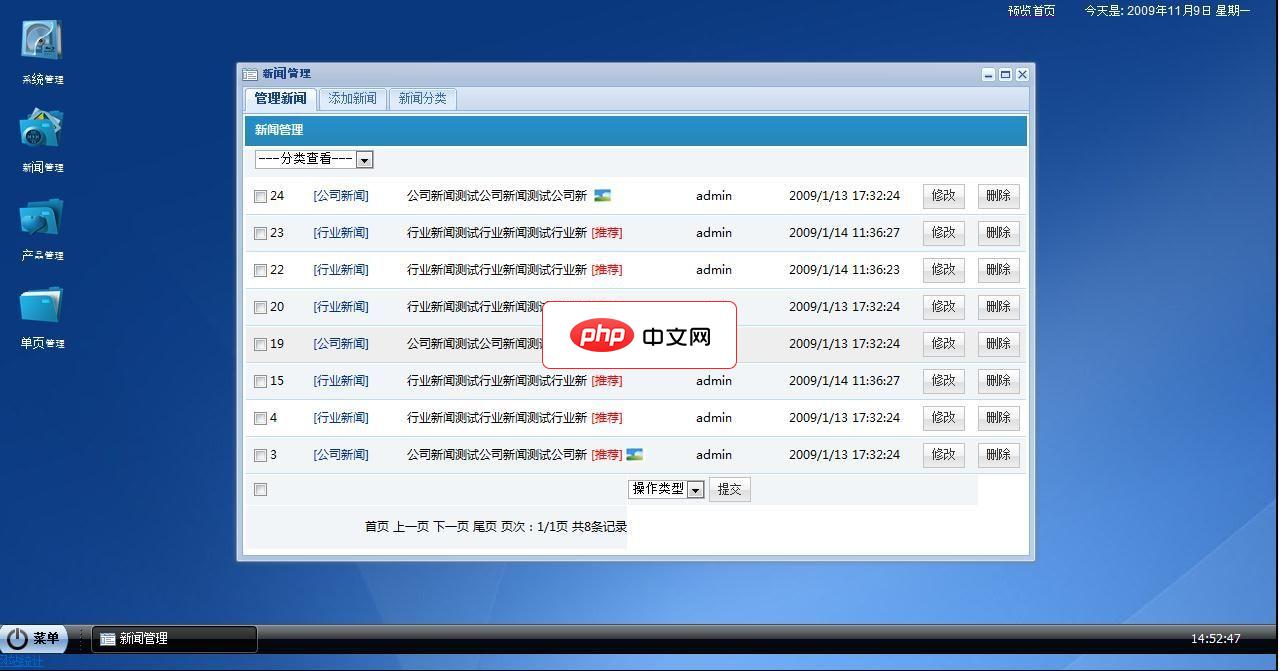
功能介绍:后台功能介绍1.系统管理:(1)基本信息管理包括网站名称,域名,管理员昵称,联系电话,邮箱和网站关键字等等的设置。(2) 密码修改 系统管理员密码修改(3)后台登陆记录查看2.新闻管理:(1)新闻管理包括新闻的修改删除(2)添加新闻可添加文字新闻和图片新闻,采用EWEB编辑器操作简便(3)新闻分类管理可自由的添加和删除新闻分类3.产品管理:(1)管理产品可对数据库现有进行修改和删除(2)
 0
0

#import "C:Program FilesCommon Filessystemdomsado15.dll" no_namespace rename("EOF","adoEOF")//ado访问ACCESS<strong>数据库</strong>必需AfxOleInit();
CString path;//应用程序所在路径
char filepath[256];
char* pPath;
GetModuleFileName(AfxGetInstanceHandle(),filepath,256);
pPath  = strrchr(filepath,'\');
*pPath = 0;
path = filepath;
char* PtConnectStr;//<strong>数据库</strong>连接字符串
CString connstr =  "Provider=Microsoft.Jet.OLEDB.4.0;Data Source=";
connstr += path;
connstr += "\point32.mdb";
connstr += ";Jet OLEDB:Database Password='1234'";
PtConnectStr = connstr.GetBuffer(0);
//<strong>查询</strong>表中数据,并显示在List Control控件中
void CPoint32Dlg::ReadUserInfo()
{
	//select
	m_list.DeleteAllItems();//清空列表

	_ConnectionPtr m_pConnection;
	_RecordsetPtr m_pRecordset;

	try
	{
		m_pConnection.CreateInstance(__uuidof(Connection));
		m_pConnection->Open(PtConnectStr,"","",adModeUnknown);
	}
	catch(_com_error e)
	{
		CString errormessage;
		errormessage.Format("<strong>数据库</strong>连接失败.
错误信息:%s",e.ErrorMessage());
		//AfxMessageBox(errormessage);
		MessageBox(errormessage,"连接失败",MB_ICONEXCLAMATION);
		if(m_pConnection->State)
			m_pConnection->Close();
		return;
	}

	try
	{

		//获取数据,放在数据集中
		CString cmd;
		cmd.Format("SELECT * FROM TestTab");

		m_pRecordset.CreateInstance("ADODB.Recordset");
		m_pRecordset->Open(cmd.GetBuffer(),
			_variant_t((IDispatch*)m_pConnection,true),
			adOpenStatic,
			adLockOptimistic,
			adCmdText);

		//处理数据,并显示
		_variant_t varbuffer;
		long index = 0;//注意:必须是long类型
		int countItem = 0;
		CString str;

		while(!m_pRecordset->adoEOF)
		{
			index = 0;
			//读ID号
			varbuffer = m_pRecordset->GetCollect(_variant_t(index));
			if(varbuffer.vt!=VT_NULL)
			{
				str.Format("%d",varbuffer.lVal);
				m_list.InsertItem(countItem,str.GetBuffer());
			}
			//读其它的信息
			while(index < 3)
			{
				index++;
				varbuffer = m_pRecordset->GetCollect(_variant_t(index));
				if(varbuffer.vt!=VT_NULL)
				{
					str = (LPCTSTR)(_bstr_t)varbuffer;
					m_list.SetItemText(countItem,index,str.GetBuffer());
				}
			}

			m_pRecordset->MoveNext();
			countItem++;
		}
	}
	catch(_com_error &e)
	{
		//AfxMessageBox(e.Description());
		MessageBox(e.Description(),"<strong>数据库</strong><strong>操作</strong>失败.",MB_ICONEXCLAMATION);
		if(m_pRecordset->State)
			m_pRecordset->Close();
		if(m_pConnection->State)
			m_pConnection->Close();
		return;
	}

	if(m_pRecordset->State)
		m_pRecordset->Close();
	if(m_pConnection->State)
		m_pConnection->Close();
}//向表中<strong>插入</strong>数据,并<strong>更新</strong>List Control控件中显示的数据
void CPoint32Dlg::OnBnClickedButton1()
{
//insert
_ConnectionPtr m_pConnection;
_variant_t RecordsAffected;
try
{
m_pConnection.CreateInstance(__uuidof(Connection));
m_pConnection->Open(PtConnectStr,"","",adModeUnknown);
}
catch(_com_error e)
{
CString errormessage;
errormessage.Format("<strong>数据库</strong>连接失败.
错误信息:%s",e.ErrorMessage());
MessageBox(errormessage," 添加失败 ",MB_ICONEXCLAMATION);
return;
}
try
{
CString strCmd="INSERT INTO TestTab(UName,UGender,UAge) VALUES('测试者','男','30')";
for(int i=0;i<5;i++)
{
m_pConnection->Execute(strCmd.AllocSysString(),&RecordsAffected,adCmdText);
}
}
catch(_com_error &e)
{
//AfxMessageBox(e.Description());
MessageBox(e.Description()," 添加失败 ",MB_ICONEXCLAMATION);
if(m_pConnection->State)
m_pConnection->Close();
return;
}
if(m_pConnection->State)
m_pConnection->Close();
//MessageBox("添加成功!","消息");
m_update.EnableWindow(TRUE);
m_delete.EnableWindow(TRUE);
ReadUserInfo();
}//<strong>更新</strong>表中数据,并<strong>更新</strong>List Control控件的显示
void CPoint32Dlg::OnBnClickedButton3()
{
// update
_ConnectionPtr m_pConnection;
_variant_t RecordsAffected;
try
{
m_pConnection.CreateInstance(__uuidof(Connection));
m_pConnection->Open(PtConnectStr,"","",adModeUnknown);
}
catch(_com_error e)
{
CString errormessage;
errormessage.Format("<strong>数据库</strong>连接失败.
错误信息:%s",e.ErrorMessage());
MessageBox(errormessage," 修改失败 ",MB_ICONEXCLAMATION);
return;
}
try
{
CString strCmd="UPDATE TestTab SET [UGender]='女',[UAge]='20' WHERE [UName]='测试者'";
m_pConnection->Execute(strCmd.AllocSysString(),&RecordsAffected,adCmdText);
}
catch(_com_error &e)
{
//AfxMessageBox(e.Description());
MessageBox(e.Description()," 修改失败 ",MB_ICONEXCLAMATION);
if(m_pConnection->State)
m_pConnection->Close();
return;
}
if(m_pConnection->State)
m_pConnection->Close();
//MessageBox("修改成功!","消息");
ReadUserInfo();
}
//<strong>删除</strong>表中数据、重置自动编号(从1开始),并<strong>更新</strong>List Control控件显示
void CPoint32Dlg::OnBnClickedButton4()
{
	// delete
	_ConnectionPtr m_pConnection;
	_variant_t RecordsAffected;
	try
	{
		m_pConnection.CreateInstance(__uuidof(Connection));
		m_pConnection->Open(PtConnectStr,"","",adModeUnknown);
	}
	catch(_com_error e)
	{
		CString errormessage;
		errormessage.Format("连接<strong>数据库</strong>失败!
错误信息:%s",e.ErrorMessage());
		MessageBox(errormessage,"<strong>删除</strong>失败",MB_ICONEXCLAMATION);
		return;
	}
	try
	{
		//<strong>删除</strong>表中所有数据
		CString strCmd="DELETE FROM TestTab";

		m_pConnection->Execute(strCmd.AllocSysString(),&RecordsAffected,adCmdText);

		//重置表中自动编号ID,使其从1开始增加(必须先<strong>删除</strong>表中所有数据)
		strCmd="ALTER TABLE TestTab ALTER COLUMN ID COUNTER(1,1)";

		m_pConnection->Execute(strCmd.AllocSysString(),&RecordsAffected,adCmdText);
	}
	catch(_com_error &e)
	{
		//AfxMessageBox(e.Description());
		MessageBox(e.Description(),"<strong>删除</strong>失败",MB_ICONEXCLAMATION);
		if(m_pConnection->State)
			m_pConnection->Close();
		return;
	}
	if(m_pConnection->State)
		m_pConnection->Close();
	//MessageBox("<strong>删除</strong>成功!","完成");

	m_insert.EnableWindow(TRUE);
	m_update.EnableWindow(FALSE);
	m_delete.EnableWindow(FALSE);

	ReadUserInfo();
}
c++怎么学习?c++怎么入门?c++在哪学?c++怎么学才快?不用担心,这里为大家提供了c++速学教程(入门到精通),有需要的小伙伴保存下载就能学习啦!

 广告
广告Copyright 2014-2025 https://www.php.cn/ All Rights Reserved | php.cn | 湘ICP备2023035733号


 569
569



 收藏
收藏







 取消收藏
取消收藏







