



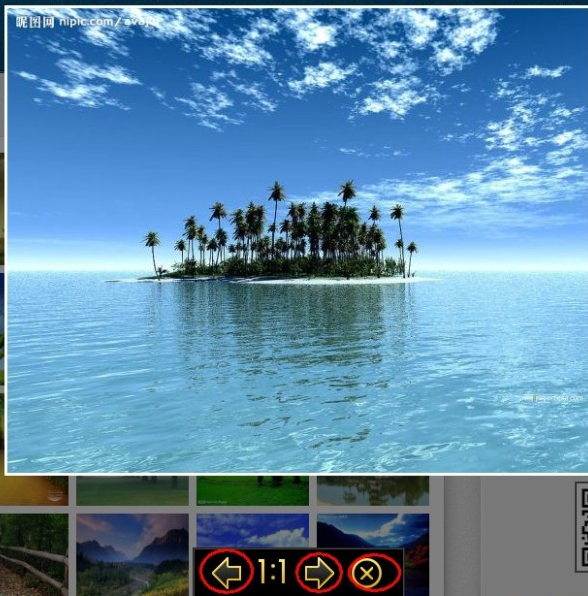
核心代码:
1.css:16sucai.css
html,body {
height: 100%;
margin: 0px;
padding: 0px;
}
a {outline: none;}
img{ border:0;}
a img {vertical-align: top;}
a img.last {margin-right: 0; }
.box {
width: 850px;
height: auto;
overflow: hidden;
background: #666;
margin-top: 10px;
margin-right: auto;
margin-bottom: 10px;
margin-left: auto;
padding-top: 10px;
padding-right: 0;
padding-bottom: 0;
padding-left: 10px;
}
.box ul {
margin: 0px;
padding: 0px;
float: left;
list-style-type: none;
}
.box li {
width: 150px;
height: 100px;
float: left;
cursor: pointer;
display: inline;
margin: 0 10px 10px 0;
border: 5px solid #333;
}
#bg {
width: 100%;
height: 898px;
position: absolute;
left: 0px;
top: 0px;
background: #000;
filter: alpha(opacity : 50);
opacity: 0.5;
display: none;
}
#bg1 {
width: 100%;
height: 100%;
position: absolute;
left: 0px;
top: 0px;
background: #000;
filter: alpha(opacity : 50);
opacity: 0.5;
display: none;
}
#bottom {
width: 215px;
height: 50px;
position: absolute;
left: 50%;
bottom: 0px;
margin: 0 0 0 -107px;
border: 1px solid #232323;
background: #444;
padding: 1px;
z-index: 1;
display: none;
}
#bottom ul {
width: 100%;
height: 100%;
margin: 0px;
padding: 0px;
list-style-type: none;
background: #000;
}
#bottom li {
background: url(../images/ico.jpg) no-repeat;
float: left;
display: inline;
margin: 8px 0 0 18px;
cursor: pointer;
}
#bottom li.prev {
width: 30px;
height: 33px;
background-position: 0 0;
}
#bottom li.next {
width: 30px;
height: 33px;
background-position: -35px 0;
}
#bottom li.img {
width: 30px;
height: 33px;
background-position: -106px 0;
}
#bottom li.close {
width: 31px;
height: 33px;
background-position: -70px 0;
}
#frame {
background: #fff;
padding: 3px;
position: absolute;
z-index: 2;
display: none;
filter: alpha(opacity : 0);
opacity: 0;
text-align: center;
}

#bottom1 {
width: 215px;
height: 50px;
position: absolute;
left: 50%;
bottom: 0px;
margin: 0 0 0 -107px;
border: 1px solid #232323;
background: #444;
padding: 1px;
z-index: 1;
display: none;
}
#bottom1 ul {
width: 100%;
height: 100%;
margin: 0px;
padding: 0px;
list-style-type: none;
background: #000;
}
#bottom1 li {
background: url(../../images/ico.jpg) no-repeat;
float: left;
display: inline;
margin: 8px 0 0 18px;
cursor: pointer;
}
#bottom1 li.prev {
width: 30px;
height: 33px;
background-position: 0 0;
}
#bottom1 li.next {
width: 30px;
height: 33px;
background-position: -35px 0;
}
#bottom1 li.img {
width: 30px;
height: 33px;
background-position: -106px 0;
}
#bottom1 li.close {
width: 31px;
height: 33px;
background-position: -70px 0;
}
#frame1 {
background: #fff;
padding: 3px;
position: absolute;
z-index: 2;
display: none;
filter: alpha(opacity : 0);
opacity: 0;
text-align: center;
}
/
html,body {
height: 100%;
margin: 0px;
font-size: 12px;
}
.mydiv {
background-color: #FFCC66;
background:url(../images/loginbg.png) no-repeat;
border: 0px solid #f00;
overflow-y:auto;
overflow-x:auto;
text-align: center;
line-height: 40px;
font-size: 12px;
font-weight: bold;
z-index: 999;
width: 434px;
height: 238px;
left: 50%;
top: 50%;
margin-left: -200px !important; /*FF IE7 该值为本身宽的一半 */
margin-top: -80px !important; /*FF IE7 该值为本身高的一半*/
margin-top: 0px;
position: fixed !important; /* FF IE7*/
position: absolute; /*IE6*/
_top: expression(eval(document . compatMode &&
document . compatMode == 'CSS1Compat') ?
documentElement . scrollTop + ( document .
documentElement . clientHeight-this . offsetHeight )/ 2 : /*IE6*/
document . body . scrollTop + ( document . body .
clientHeight - this . clientHeight )/ 2 ); /*IE5 IE5.5*/
}
.mydiv1 {
background-color: #FFCC66;
border: 0px solid #f00;
text-align: center;
line-height: 40px;
font-size: 12px;
font-weight: bold;
overflow-y:auto;
overflow-x:auto;
z-index: 999;
width: 434px;
height: 238px;
left: 50%;
top: 50%;
margin-left: -200px !important; /*FF IE7 该值为本身宽的一半 */
margin-top: -80px !important; /*FF IE7 该值为本身高的一半*/
margin-top: 0px;
position: fixed !important; /* FF IE7*/
position: absolute; /*IE6*/
_top: expression(eval(document . compatMode &&
document . compatMode == 'CSS1Compat') ?
documentElement . scrollTop + ( document .
documentElement . clientHeight-this . offsetHeight )/ 2 : /*IE6*/
document . body . scrollTop + ( document . body .
clientHeight - this . clientHeight )/ 2 ); /*IE5 IE5.5*/
}
.bg,.popIframe {
background-color: #666;
display: none;
width: 100%;
height: 100%;
left: 0;
top: 0; /*FF IE7*/
filter: alpha(opacity = 50); /*IE*/
opacity: 0.5; /*FF*/
z-index: 1;
position: fixed !important; /*FF IE7*/
position: absolute; /*IE6*/
_top: expression(eval(document . compatMode &&
document . compatMode == 'CSS1Compat') ?
documentElement . scrollTop + ( document .
documentElement . clientHeight-this . offsetHeight )/ 2 : /*IE6*/
document . body . scrollTop + ( document . body .
clientHeight - this . clientHeight )/ 2 );
}
.popIframe {
filter: alpha(opacity = 0); /*IE*/
opacity: 0; /*FF*/
}
2.js事件:
3.页面div布局:
|
暂时没有图片信息 |
|
|
|





