
php教程图片处理类(生成缩略图,增加水印,获取图片信息)
本文章提供这款图片处理类,他可以做的事情有把图片生成缩略图,可能给图片增加水印以及获取图片信息,算是比较实用代码又简洁的函数*/
class image { public $info=array(); function __construct() { !extension_loaded('gd') && exit("www.bKjia.c0m提示:服务器环境不支持gd库"); return true; } function image() { $this->__construct(); } function thumb($image,$thumb_width=300,$thumb_height=225) { $info=$this->info($image); $scale=min(1,min($thumb_width/$info['width'],$thumb_height/$info['height'])); //按比例缩放 $thumb_width=intval($info['width']*$scale); $thumb_height=intval($info['height']*$scale); $createfunc='imagecreatefrom'.($info['type']=='jpg'?'jpeg':$info['type']); $im=$createfunc($image); $thumb_im=$info['type']!='gif' && function_exists('imagecreatetruecolor')?imagecreatetruecolor($thumb_width,$thumb_height):imagecreate($thumb_width,$thumb_height); imagecopyresampled($thumb_im,$im,0,0,0,0,$thumb_width,$thumb_height,$info['width'],$info['height']); if($info['type']=='gif' || $info['type']=='png') { $bgcolor=imagecolorallocate($thumb_im,0,255,0); imagecolortransparent($thumb_im,$bgcolor); } $imagefunc='image'.($info['type']=='jpg'?'jpeg':$info['type']); $thumbname='thumb_'.$info['name'].'.'.$info['type']; $imagefunc($thumb_im,$info['path'].$thumbname); imagedestroy($im); imagedestroy($thumb_im); return $info['path'].$thumbname; } function watermark($image,$pos=9,$watermarkimg='images/watermark.gif',$pct=65,$text='',$w_font=5,$w_color='#ff0000') { $imageinfo=$this->info($image); $source_w=$imageinfo['width']; $source_h=$imageinfo['height']; $imagecreatefunc='imagecreatefrom'.($imageinfo['type']=='jpg'?'jpeg':$imageinfo['type']); $im=$imagecreatefunc($image); if(!empty($watermarkimg) && file_exists($watermarkimg)) //添加图片水印 { $iswaterimage=true; $watermarkinfo=$this->info($watermarkimg); $width=$watermarkinfo['width']; $height=$watermarkinfo['height']; $watermarkcreatefunc='imagecreatefrom'.($watermarkinfo['type']=='jpg'?'jpeg':$watermarkinfo['type']); $watermark_im=$watermarkcreatefunc($watermarkimg); } else //添加文字水印 { $iswaterimage=false; if(!empty($w_color) && strlen($w_color)==7) { $r=hexdec(substr($w_color,1,2)); $g=hexdec(substr($w_color,3,2)); $b=hexdec(substr($w_color,5,2)); } $temp = imagettfbbox(ceil($w_font*2.5), 0, 'fonts/alger.ttf', $text); $width = $temp[2] - $temp[6]; $height = $temp[3] - $temp[7]; unset($temp); } switch($pos) { case 0: $wx = mt_rand(0,($source_w - $width)); $wy = mt_rand(0,($source_h - $height)); break; case 1: $wx = 5; $wy = 5; break; case 2: $wx = ($source_w - $width) / 2; $wy = 5; break; case 3: $wx = $source_w - $width-5; $wy = 5; break; case 4: $wx = 5; $wy = ($source_h - $height) / 2; break; case 5: $wx = ($source_w - $width) / 2; $wy = ($source_h - $height) / 2; break; case 6: $wx = $source_w - $width-5; $wy = ($source_h - $height) / 2; break; case 7: $wx = 5; $wy = $source_h - $height-5; break; case 8: $wx = ($source_w - $width) / 2; $wy = $source_h - $height-5; break; default: $wx = $source_w - $width-5; $wy = $source_h - $height-5; break; } if($iswaterimage) { if($imageinfo['type'] == 'png') { imagecopy($im, $watermark_im, $wx, $wy, 0, 0, $width, $height); } else { imagecopymerge($im, $watermark_im, $wx, $wy, 0, 0, $width, $height, $pct); } } else { imagestring($im,$w_font,$wx,$wy,$text,imagecolorallocate($im,$r,$g,$b)); } $imagefunc='image'.($imageinfo['type']=='jpg'?'jpeg':$imageinfo['type']); $imagefunc($im,$image); imagedestroy($im); return true; } function info($image) { $info=array(); $info['size']=filesize($image); $imageinfo=getimagesize($image); $info['width']=$imageinfo[0]; $info['height']=$imageinfo[1]; $info['width_height']=$imageinfo[3]; $info['mime']=$imageinfo['mime']; unset($imageinfo); $imageinfo=pathinfo($image); $info['path']=$imageinfo['dirname'].'/'; $info['type']=strtolower($imageinfo['extension']); //图片类型,不含'.' $info['name']=$imageinfo['filename']; unset($imageinfo,$name); $this->info=$info; return $info; } }
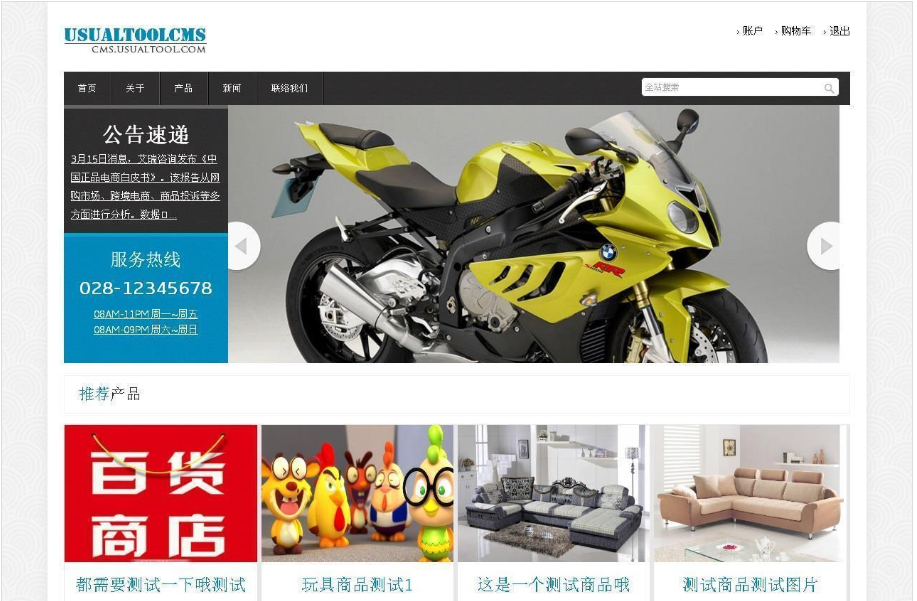
UsualToolCMS 是一款企业级的网站内容管理系统,由PHP+MYSQL编写,使用模板分离技术,支持创建多种类型的站点。 拥有UsualToolCMS便能快速同时在手机端与电脑端建立网站,通过UsualToolCMS能快速接入公众号,快速生成一个微信小程序及WEBAPP,真正的多站合一。互联网技术变得更简单。 升级说明: UsualToolCMS7.0.0604增加文字/图片自动水印系
 77
77


PHP怎么学习?PHP怎么入门?PHP在哪学?PHP怎么学才快?不用担心,这里为大家提供了PHP速学教程(入门到精通),有需要的小伙伴保存下载就能学习啦!

Copyright 2014-2025 https://www.php.cn/ All Rights Reserved | php.cn | 湘ICP备2023035733号


 11054
11054




 收藏
收藏











