
php用户cookie登录验证与mysql数据登录验证的方法:
<?php
	unset($username);
	if ($_COOKIE['login']) {
	    list($c_username,$cookie_hash) = split(',',$_COOKIE['login']);
	    if (md5($c_username.$secret_word) == $cookie_hash) {
	        $username = $c_username;
	    } else {
	        print "You have sent a bad cookie.";
	    }
	}

	if ($username) {
	    print "Welcome, $username.";
	} else {
	    print "Welcome, anonymous user.";
	}
看个完整的与数据库连接登录的代码:
<html>

	 <head>
	  <title>Log-In Page</title>
	 </head>

	 <body>
	 Please enter your user details to log-in here...

	 <form action = "authenticate.php" method = "post">
	 Username:<br>
	 <input type = "text" name = "username">
	 <br><br>
	 Password:<br>
	 <input type = "text" name = "password">
	 <br><br>
	 <input type = "submit" value = "Log In">
	 </form>

	 </body>

	</html>
File:authenticate.php
 class="brush:php;"><?php

	$username = $_POST['username'];
	$password = $_POST['password'];
	$self =     $_SERVER['PHP_SELF'];
	$referer =  $_SERVER['HTTP_REFERER'];

	if( ( !$username ) or ( !$password ) )
	{ header( "Location:$referer" ); exit(); }

	$conn=@mysql_connect( "localhost", "userName", "password" ) or die( "Could not connect" );

	$rs = @mysql_select_db( "my_database", $conn ) or die( "Could not select database" );
	$sql = "select * from users where user_name="$username" and password = password( "$password" )";

	$rs = mysql_query( $sql, $conn ) or die( "Could not execute query" );

	$num = mysql_numrows( $rs );

	if( $num != 0 )
	{
	  $msg = "<h3>Welcome $username - your log-in succeeded!</h3>";
	}
	else
	{
	  header( "Location:$referer" ); exit();
	}


	<html>

	 <head>
	  <title>Log-In Authenticated</title>
	  </head>

	  <body>
	   <?php echo( $msg );
	  </body>

	</html>
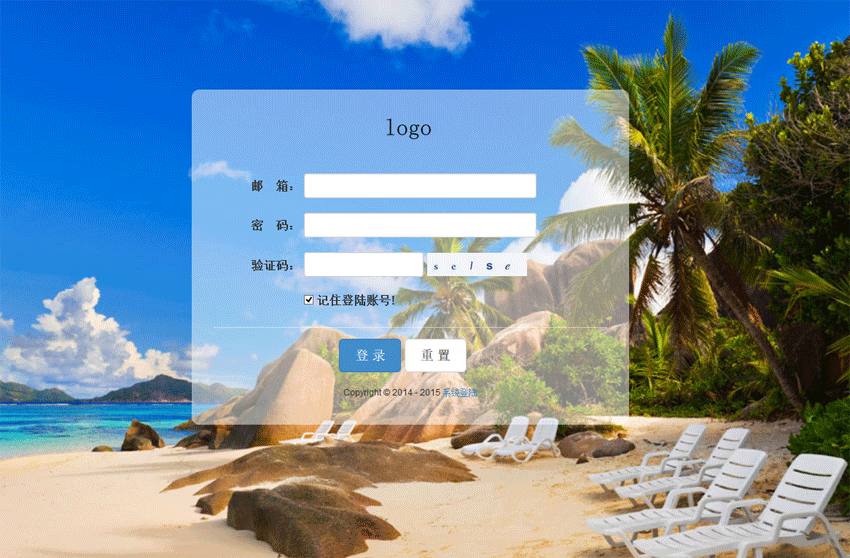
jQuery响应式后台登录界面模板html源码,登录页面通过jquery来验证表单,判断用户名和密码是否符合要求,通常登录页面在企业网站或者商城网站都是必须要用到的页面,响应式的后台页面,当浏览器放大或者缩小,背景会根据浏览器来调整图片的大小!php中文网推荐下载!
 1751
1751

本文地址:
立即学习“PHP免费学习笔记(深入)”;
转载随意,但请附上文章地址:-)

PHP怎么学习?PHP怎么入门?PHP在哪学?PHP怎么学才快?不用担心,这里为大家提供了PHP速学教程(入门到精通),有需要的小伙伴保存下载就能学习啦!

Copyright 2014-2025 https://www.php.cn/ All Rights Reserved | php.cn | 湘ICP备2023035733号


 11059
11059




 收藏
收藏













