




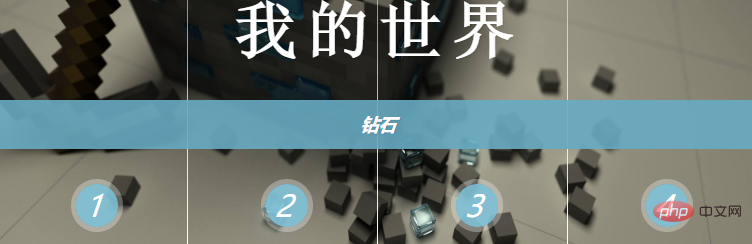
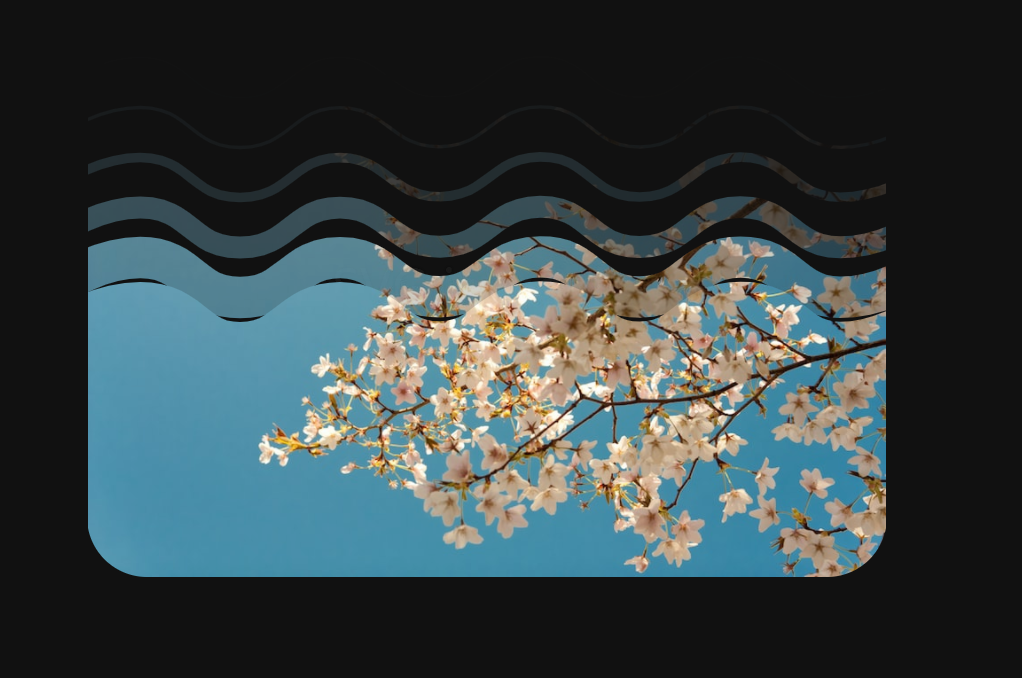
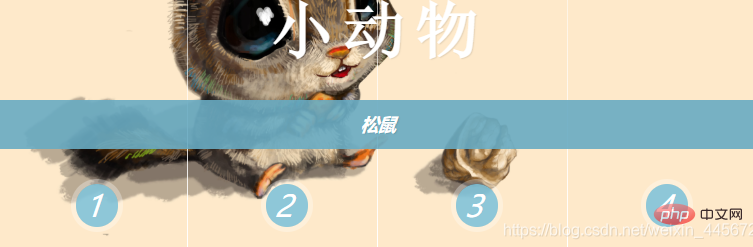
我们先来看下效果图:
(相关教程:CSS教程)
切换前:
立即学习“前端免费学习笔记(深入)”;
切换中:
切换成功:
HTML代码:
来自Limou的尝试解读 来自Limou的尝试解读
CSS代码:
@charset "utf-8";
/* CSS Document */

h1{
	text-align: center;
	color:deepskyblue;
	text-shadow: 1px 1px 1px rgba(0,0,0,0.1);/*设置字体的阴影*/
}
/*顶部a标签动画与样式  开始*/
.button{
	text-align: center;
	height: 80px;
	width: 100%;
	display: block;
}
.button a{
	height: 60px;
	width: 60px;
	display: inline-block;/*布局属性:内联-块,
	使其成为并排显示的块级元素,让其宽高可以编辑,且宽高和内外边距可以超过父级元素*/
	text-decoration: none;/*去除下划线*/
	line-height: 60px;
	border-radius: 50%;
	/*设置字符的行高,通常用于自定义的某些样式,字符在顶部或底部时使用,让其上下居中*/
	background-color: rgba(104,171,194,0.5);
	transition:background-color 0.15s linear;/*组合写法*/
	/*transition-property	规定设置过渡效果的 CSS 属性的名称。
				-duration	规定完成过渡效果需要多少秒或毫秒。
				-timing-function	规定速度效果的速度曲线。
				-delay	定义过渡效果开始时间。*/
	color: white;
}
.button a:hover{
	background-color: rgba(255,255,255);
	color:#68ABC2;
	transition:background-color 0.15s linear;
}
/*顶部a标签动画与样式  开始*/


/*图片的样式与动画  开始*/
.SpanStyle{
	width: 100%;
	height: 400px;
	z-index: 1;
	position: absolute;
	top: 0;
	background-repeat: no-repeat;
	background-size: 100% 100%;
	background-position: 0 0;
}
.SpanStyle div{
	width: 25%;
	height: 100%;
	float: left;
	position: relative;
	overflow: hidden;
	background-repeat: no-repeat;
}
.SpanStyle div span{
	position: absolute;
	width: 100%;
	height: 100%;
	top: 0px;
	left: -100%;/*设置元素初始位置,为动画准备*/
	z-index: 2;
	color: rgba(255,255,255,0);
	background-repeat: no-repeat;
	background-size: 400% 100%;
}

/*设置图片在元素的位置*/
.SpanStyle div:nth-child(1) span{
	background-position: 0% 0px;
}
.SpanStyle div:nth-child(2) span{
	background-position: 33.5% 0px;
}
.SpanStyle div:nth-child(3) span{
	background-position: 66.5% 0px;
}
.SpanStyle div:nth-child(4) span{
	background-position: 100% 0px;
}

/*父级元素下的 某个input标签和 它的类名:选中后匹配元素(单复选框专用) ~
一个父级元素下的div里面的Span元素:匹配元素(第N个) */
/*定义指定的input标签点击后将匹配的元素绑定新图片*/
.Images input.cr-in-img-1:checked ~ .SpanStyle,
.SpanStyle div span:nth-child(1){
	background-image: url(../images/1.jpg);
}
.Images input.cr-in-img-2:checked ~ .SpanStyle,
.SpanStyle div span:nth-child(2){
	background-image: url(../images/2.jpg);
}
.Images input.cr-in-img-3:checked ~ .SpanStyle,
.SpanStyle div span:nth-child(3){
	background-image: url(../images/3.jpg);
}
.Images input.cr-in-img-4:checked ~ .SpanStyle,
.SpanStyle div span:nth-child(4){
	background-image: url(../images/4.jpg);
}

/*定义指定的input标签点击后将绑定的新图片所在的元素插入*/
.Images input.cr-in-img-1:checked ~ .SpanStyle div span:nth-child(1),
.Images input.cr-in-img-2:checked ~ .SpanStyle div span:nth-child(2),
.Images input.cr-in-img-3:checked ~ .SpanStyle div span:nth-child(3),
.Images input.cr-in-img-4:checked ~ .SpanStyle div span:nth-child(4)
{
	animation: none;
	transition: left 0.8s ease-in-out;
	left: 0%;
	z-index: 10;
}

/*定义指定的input标签点击后将要替换的旧图片所在的元素撤出*/
.Images input:checked ~ .SpanStyle div span{
	animation: slideOut 0.8s ease-in-out;
}

@keyframes slideOut{
	0%{ left: 0%; }
	100%{ left: 100%; }
}
/*图片的样式与动画  结束*/


/*文本动画与样式  开始*/
.Images{
	height: 400px;
	width: 40%;
	text-align: center;
	position: relative;
	margin: 2% auto 0 auto;
	border: 20px solid #fff;
	box-shadow: 1px 1px 3px rgba(0,0,0,0.1);
}
.Images input{
	display: none;
}
.Images label{
	font-style: italic; /*字体样式:倾斜*/
	margin-top: 350px;
	text-align: center;
	width: 25%;
	height: 30px;
	cursor: pointer;/*光标:手*/
	color: #fff; /*字体颜色*/
	position: relative;
	float: left;
	line-height: 34px;
	font-size: 24px;/*字号,字体大小*/
	z-index: 5;
}
.Images label:before{
	content:'';/*绑定文本也可以绑定文件*/
	width: 34px;
	height: 34px;
	background: rgba(130,195,217,0.9);
	position: absolute;
	left: 50%;
	margin-left: -14px;
	border-radius: 50%;
	box-shadow: 0px 0px 0px 4px rgba(255,255,255,0.3);
	z-index:-1;
}
.Images label:after{
	width: 1px;
	height: 400px;
	content: '';
	background: -webkit-linear-gradient(top, rgba(255,255,255,0) 0%, rgba(255,255,255,1) 100%);
    position: absolute;
	bottom: -20px;
	right: 0px;
}

.h3Span h3{
	position: absolute;
	width: 100%;
	top: 45%;
	z-index: 10;
	text-align: center;
	opacity: 0;
	color: #fff;
	text-shadow: 1px 1px 1px rgba(0,0,0,0.1);
	transition: opacity 0.8s ease-in-out;
}
.h3Span h3 span{
	z-index: 10;
	position: absolute;
	width: 100%;
	left: 0px;
	text-align: center;
	opacity: 1;
}
.h3Span h3 span:nth-child(1){
	font-family: 'NSimSun';
	font-size: 50px;
    display: block;
    letter-spacing: 7px;
}
.h3Span h3 span:nth-child(2){
	margin-top: 84px;
	letter-spacing: 0px;
	background: rgba(104,171,194,0.9);
	font-size: 14px;
	padding: 10px 0px;
	font-style: italic;
	transition: opacity 0.8s ease-in-out;
}

.Images input.cr-in-img-1:checked ~ .h3Span h3:nth-child(1),
.Images input.cr-in-img-2:checked ~ .h3Span h3:nth-child(2),
.Images input.cr-in-img-3:checked ~ .h3Span h3:nth-child(3),
.Images input.cr-in-img-4:checked ~ .h3Span h3:nth-child(4){
	opacity: 1;
}
/*文本的动画与样式  结束*/


/*页面缩小显示复选框*/
@media screen and (max-width: 1200px) {
	.Images input{
		display: inline;
		width: 22%;
		margin-top: 350px;
		z-index: 10;
		position: relative;
	}
	.Images label{
		display: none;
	}
} 




