

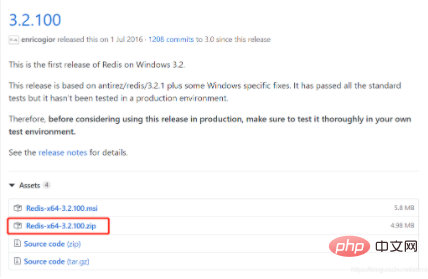
资源下载:
(学习视频分享:redis视频教程)
https://github.com/MSOpenTech/redis/releases
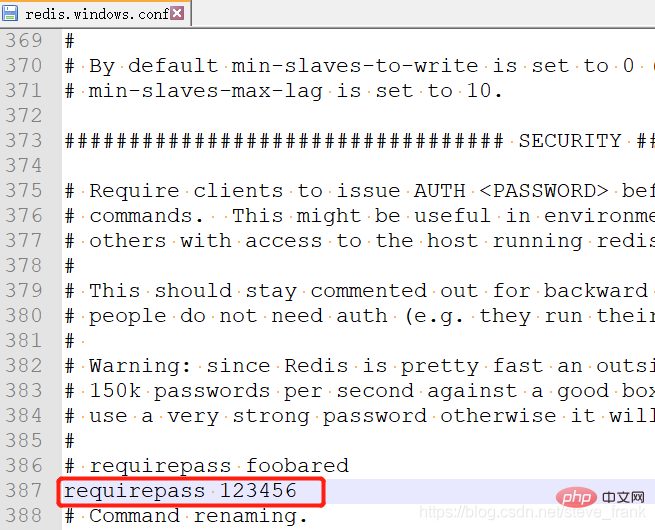
添加密码
redis.windows.conf,默认无密码
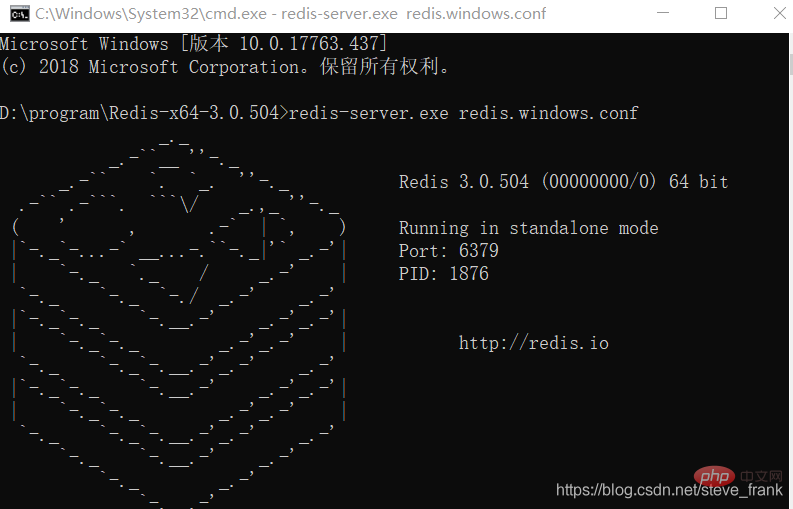
启动
redis-server.exe redis.windows.conf
如果redis-server.exe启动,无密码
登录
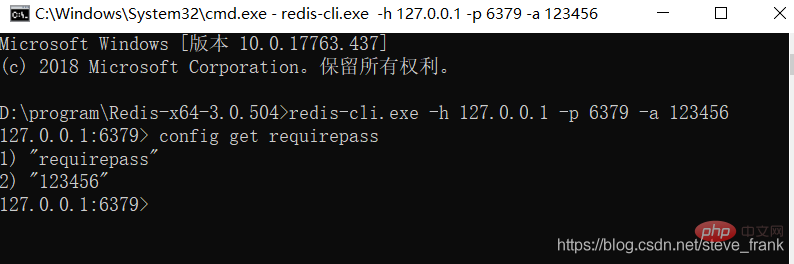
redis-cli.exe -h 127.0.0.1 -p 6379 -a 123456

1.后台管理登陆直接在网站地址后输入后台路径,默认为 /admin,进入后台管理登陆页面,输入管理员用户名和密码,默认为 中文 admin ,登陆后台。2.后台管理a.注销管理登陆 (离开后台管理时,请点击这里正常退出,确保系统安全)b.查看使用帮助 (如果你在使用系统时,有不清楚的,可以到这里来查看)c.管理员管理 (这里可以添加,修改,删除系统管理员,暂不支持,分权限管理操作)d.分类管理 (
 0
0

(redis-cli.exe -h 127.0.0.1 -p 6379对应无密码服务启动,redis-cli.exe对应redis-server.exe直接启动)
查看密码
config get requirepass
添加到Windows服务中
redis-server --service-install redis.windows.conf --loglevel verbose错误解决
Caused by: io.netty.channel.AbstractChannel$AnnotatedConnectException: Connection refused: no further information: 192.168.1.102/192.168.1.102:6379
Caused by: java.net.ConnectException: Connection refused: no further information
修改redis.windows.conf
1、protected-mode yes 改为:protected-mode no
2、注释掉 #bind 127.0.0.1
相关教程:redis数据库教程
以上就是redis如何修改默认密码的详细内容,更多请关注php中文网其它相关文章!

每个人都需要一台速度更快、更稳定的 PC。随着时间的推移,垃圾文件、旧注册表数据和不必要的后台进程会占用资源并降低性能。幸运的是,许多工具可以让 Windows 保持平稳运行。

Copyright 2014-2025 https://www.php.cn/ All Rights Reserved | php.cn | 湘ICP备2023035733号




 314
314




 收藏
收藏







 取消收藏
取消收藏







