



如何利用css实现花式文字效果?下面本篇文章给大家介绍一下利用 background 系列属性实现一些花式文字效果的方法,希望对大家有所帮助!
本文将讲解如何利用 background 系列属性,巧妙的实现一些花式的文字效果。通过本文,你将可以学到:
- 通过
background-size与background-position实现酷炫的文字下划线效果 - 通过
background-size与background-position以及background-clip实现文字逐个渐现的效果 - 通过
animation-delay实现文字的渐现效果
起因
写本文的动机是在于,某天,被这样一个标题所吸引 -- 10 Masterfully Designed Websites,其中列举了 10 个极具创意的 Web 网站。
其中一个 Red Bull Racing 网站,是介绍关于 F1 红牛车队的主页。其中有这样一个非常有意思的 Hover 动画效果:
立即学习“前端免费学习笔记(深入)”;

这个文字的 hover 出现效果,看似简单,其实想要完全实现它,仅仅依靠 CSS 是非常复杂的,其中一个比较难的地方在于 -- 如何让一个效果,逐渐作用给整段文字中的部分,而不是一次将整个效果赋予整段文本。
利用 background 实现文字的下划线效果
到这里,我想起了之前在这篇文章中 -- CSS 文字装饰 text-decoration & text-emphasis,我介绍的一种 使用 background 模拟下划线 的效果。
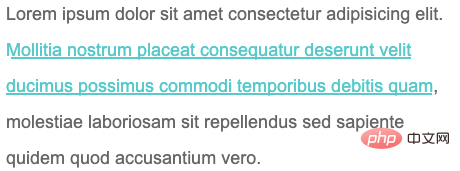
看个简单的 DEMO,使用 background 模拟文字的下划线效果:
Lorem ipsum dolor sit amet consectetur adipisicing elit. Mollitia nostrum placeat consequatur deserunt velit ducimus possimus commodi temporibus debitis quam, molestiae laboriosam sit repellendus sed sapiente quidem quod accusantium vero.
p {
    width: 600px;
    font-size: 24px;
    color: #666;
}
a {
    background: linear-gradient(90deg, #0cc, #0cc);
    background-size: 100% 3px;
    background-repeat: no-repeat;
    background-position: 100% 100%;
    color: #0cc;
}
使用 background 模拟文字的下划线效果,效果图如下:
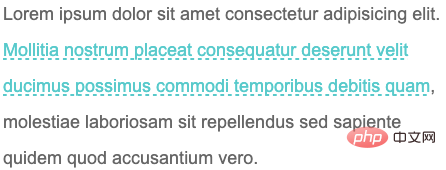
又或者,使用 background 模拟虚线下划线:
a {
    background: linear-gradient(90deg, #0cc 50%, transparent 50%, transparent 1px);
    background-size: 10px 2px;
    background-repeat: repeat-x;
    background-position: 100% 100%;
}
CodePen Demo -- 使用 background 模拟下划线与虚线下划线https://codepen.io/Chokcoco/pen/YzNQKwm
当然这个是最基础的,巧妙的运用 background 的各种属性,我们实现各种有意思的效果。
巧妙改变 background-size 与 background-position 实现文字 hover 动效
这里,通过巧妙改变 background-size 与 background-position 属性,我们可以实现一些非常有意思的文字 hover 效果。
先看这样一个 Demo,核心代码作用于被 标签包裹的 标签之上:
Lorem ipsum dolor sit amet consectetur adipisicing elit. Mollitia nostrum placeat consequatur deserunt velit ducimus possimus commodi temporibus debitis quam, molestiae laboriosam sit repellendus sed sapiente quidem quod accusantium vero.
a {
    background: linear-gradient(90deg, #ff3c41, #fc0, #0ebeff);
    background-size: 0 3px;
    background-repeat: no-repeat;
    background-position: 0 100%;
    transition: 1s all;
    color: #0cc;
}

a:hover {
    background-size: 100% 3px;
    color: #000;
}
我们虽然,设定了 background: linear-gradient(90deg, #ff3c41, #fc0, #0ebeff),但是一开始默认它的 background-size: 0 3px,也就是一开始是看不到下划线的,当 hover 的时候,改变 background-size: 100% 3px,这个时候,就会有一个 0 3px 到 100% 3px 的变换,也就是一个从无到有的伸展效果。
看看最后的效果:
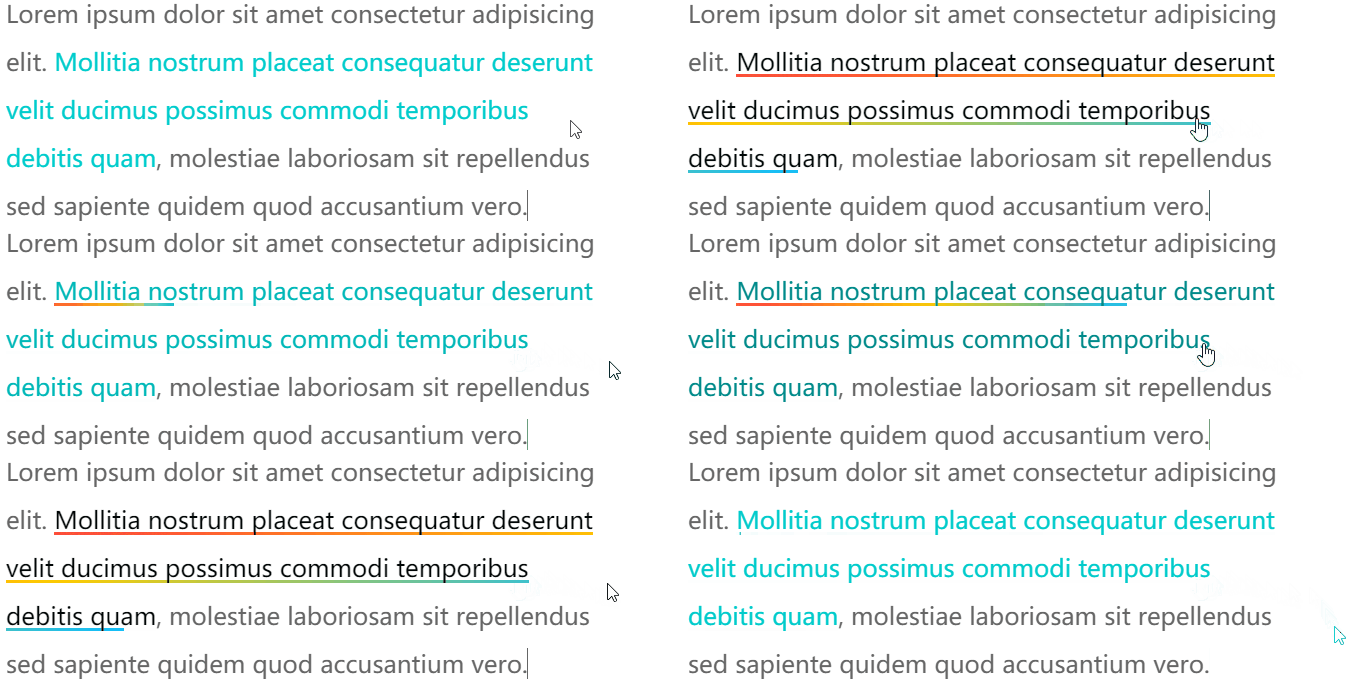
由于设定的 background-position 是 0 100%,如果,设定的 background-position 是 100% 100%,我们可以得到一个反向的效果:
// 其他都保持一致,只改变 background-position,从 0 100% 改为 100% 100%
a {
    ...
    background-position: 100% 100%;
    ...
}
再看看效果,你可以对比着上面的动图看看具体的差异点在哪:
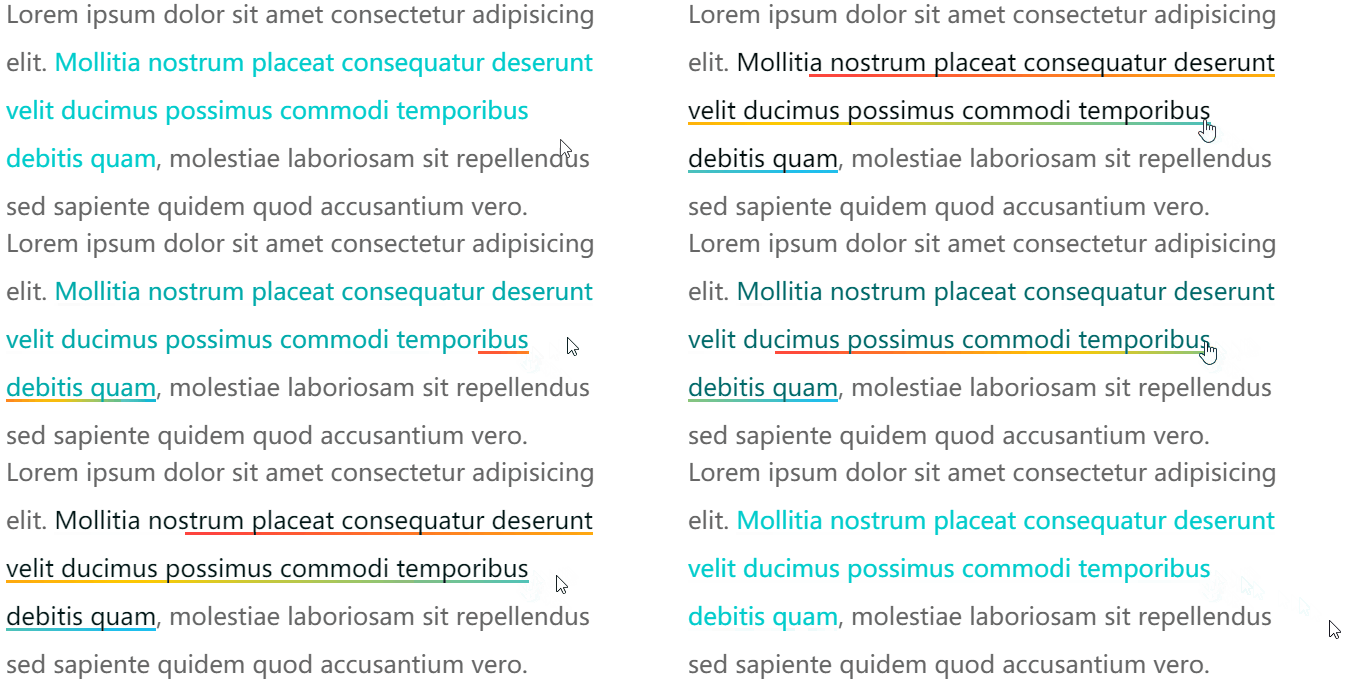

CodePen Demo -- background 下划线动画
https://codepen.io/Chokcoco/pen/QWdgLwp
OK,如果我们使用 background 实现两条重叠的下划线,再利用上述的两个不同的 background-position 值,我们就可以得到一个更有意思的下划线 hover 效果。
CSS 代码示意,注意看两条使用 background 模拟的下划线的 background-position 的值是不一样的:
a {
    background:
        linear-gradient(90deg, #0cc, #0cc),
        linear-gradient(90deg, #ff3c41, #fc0, #8500d8);
    background-size: 100% 3px, 0 3px;
    background-repeat: no-repeat;
    background-position: 100% 100%, 0 100%;
    transition: 0.5s all;
    color: #0cc;
}
a:hover {
    background-size: 0 3px, 100% 3px;
    color: #000;
}
可以得到这样一种效果,其实每次 hover, 都有两条下划线在移动:
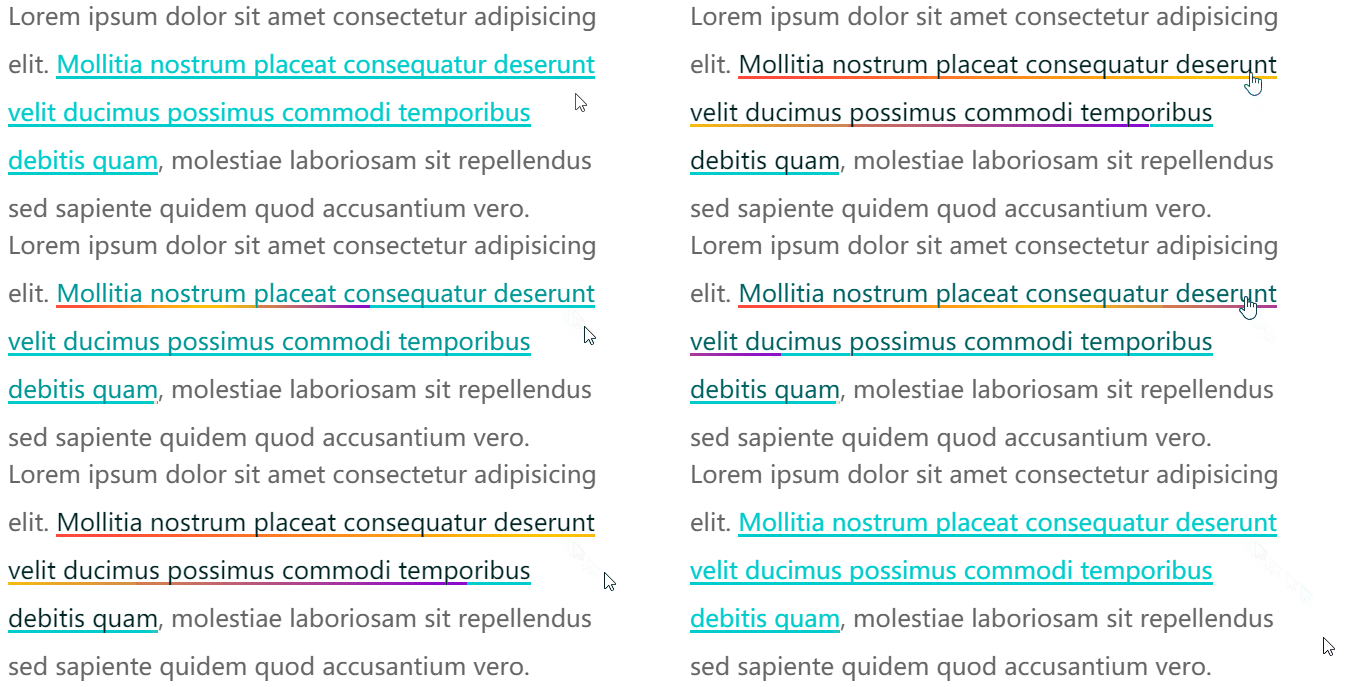
CodePen Demo -- background 下划线动画
https://codepen.io/Chokcoco/pen/MWJogjQ
通过 background-size 与 background-position 配合 background-clip 实现文字的渐现
上述一大段都在围绕 -- 下划线。
回归到本文一开始提到的 Gif 效果,我们能否实现在一段文字中,实现文字的渐现效果呢?
上述技巧利用的是 background,那么 background 背景色能否改变文字的颜色的?答案是可以的,只需要借助 background-clip。
我们稍微改造下代码,实现利用 background-clip 实现 hover 的时候部分文字逐渐改变颜色:
Lorem ipsum dolor sit amet consectetur adipisicing elit.
Mollitia nostrum placeat consequatur deserunt velit ducimus possimus commodi temporibus debitis quam,
molestiae laboriosam sit repellendus sed sapiente quidem quod accusantium vero.
p {
    color: #666;
    cursor: pointer;
}

a {
    background: linear-gradient(90deg, #fc0, #fc0);
    background-size: 0 100px;
    background-repeat: no-repeat;
    background-position: 0 100%;
    background-clip: text;
    transition: .6s all linear;
}

p:hover a {
    background-size: 100% 100%;
    color: transparent;
}
看看效果,通过 background-clip: text 的遮罩裁剪,我们将 background: linear-gradient(90deg, #fc0, #fc0) 背景色作用给了文字,同时利用 color: transparent 让文字展示出背景色的色值:
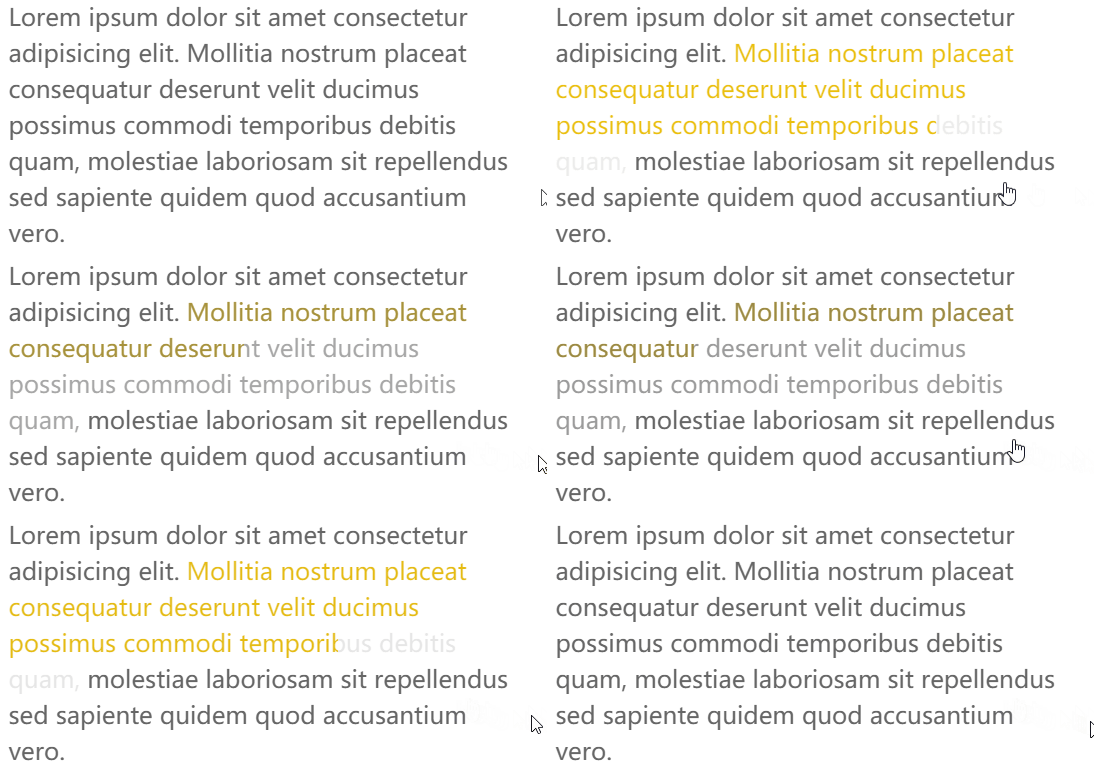
CodePen Demo -- background-size 与 background-position 以及 background-clip 实现文字逐个渐现
https://codepen.io/Chokcoco/pen/qBjmvdq?editors=1100

当然,稍微对上述代码变形,我们就可以演化出几种不同的效果。
实现整段文字的渐现 - 从透明到出现
第一种就是从透明到有颜色,逐渐展现,这里我们只需要让 color 一直是 transparent 即可(下述效果借助了一个按钮去触发效果):
a {
    background: linear-gradient(90deg, #fc0, #fc0);
    background-size: 0 100px;
    background-repeat: no-repeat;
    background-position: 0 100%;
    color: transparent;
    background-clip: text;
}
.button:hover ~ p a {
    transition: .8s all linear;
    background-size: 0 100px, 100% 100%;
}
效果如下:
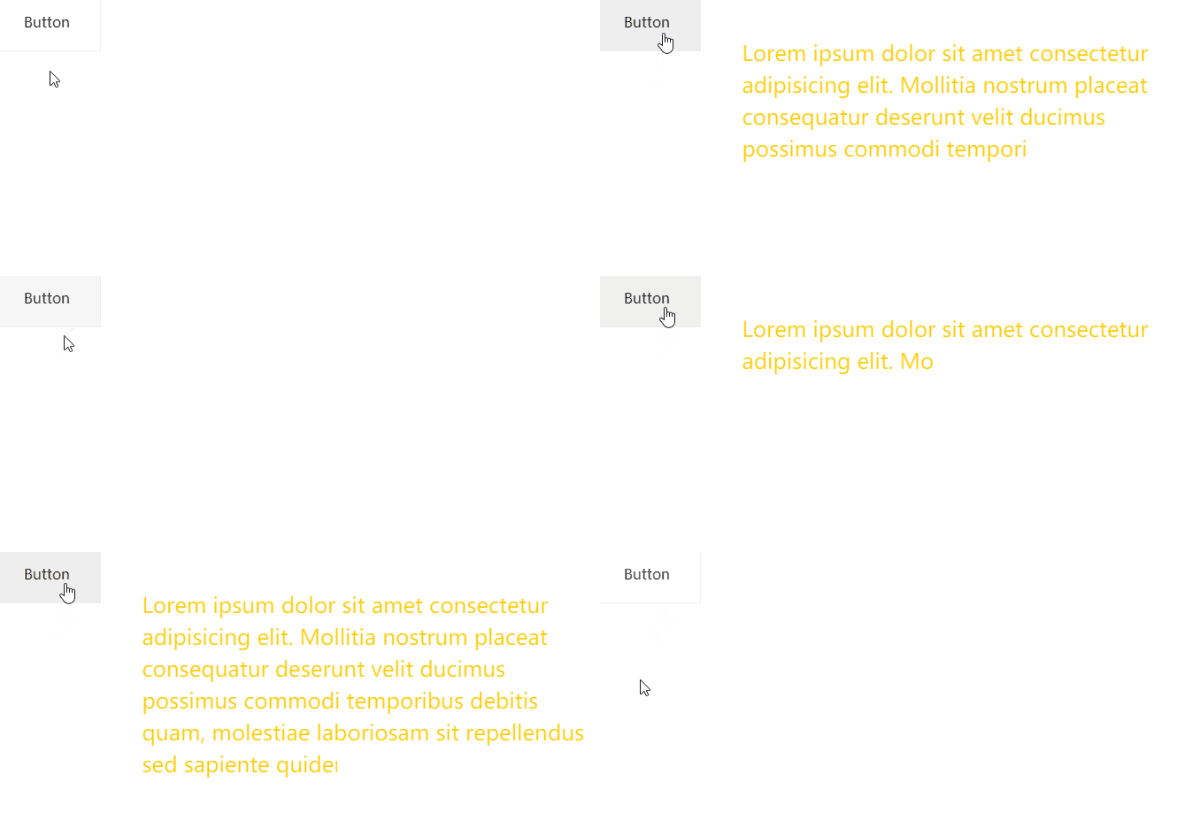
实现整段文字的渐现 - 从一种颜色到另外一种颜色
还可以实现文字从一种颜色到另外一种颜色的逐个转变,只需要添加多一层 background-image 渐变。
a {
    background:
        linear-gradient(90deg, #999, #999),
        linear-gradient(90deg, #fc0, #fc0);
    background-size: 100% 100%, 0 100px;
    background-repeat: no-repeat;
    background-position: 100% 100%, 0 100%;
    color: transparent;
    background-clip: text;
}
.button:hover ~ p a {
    transition: .8s all linear;
    background-size: 0 100px, 100% 100%;
}
这里需要解释一下,虽然设置了 color: transparent,但是文字默认还是有颜色的,默认的文字颜色,是由第一层渐变赋予的 background: linear-gradient(90deg, #999, #999), linear-gradient(90deg, #fc0, #fc0),也就是这一层:linear-gradient(90deg, #999, #999)。
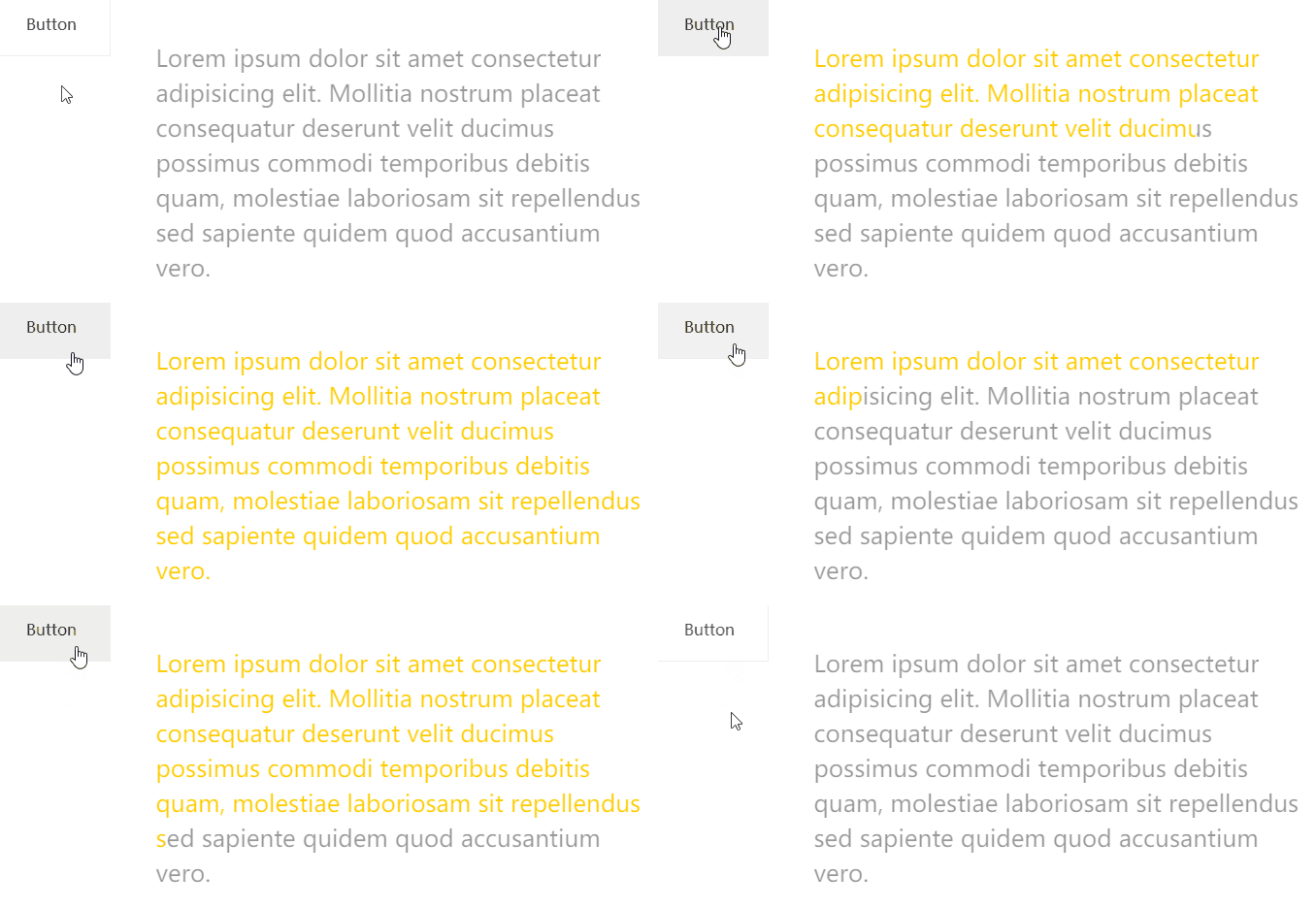
当 hover 触发时,linear-gradient(90deg, #999, #999) 这一层渐变逐渐消失,而另外一层 linear-gradient(90deg, #fc0, #fc0)` 逐渐出现,借此实现上述效果。
CodePen -- background-clip 文字渐现效果
https://codepen.io/Chokcoco/pen/XWgpyqz
简单模拟题图效果
这里,我们简单利用这个技巧模拟一下文章一开始列出的 Gif 的效果:

这个效果原作者的技巧是:
将每个单词作为一个对象,包裹一个特殊的 class
利用
animation-delay将动画逐渐赋予每个单词
这里,我们将整段文本统一处理,简单还原:
/** 动画核心 background、line-height、opacity **/
a {
    background:
        linear-gradient(90deg, #ff5722, #ff5722),
        linear-gradient(90deg, #aaa, #aaa);
    background-size: 100% 100%, 0 100px;
    background-repeat: no-repeat;
    background-position: 100% 100%, 0 100%;
    cursor: pointer;
    color: transparent;
    background-clip: text;
    line-height: 3;
    opacity: 0;
}
.button:hover ~ p a {
    transition: 1.2s background .3s ease-out, .8s line-height ease-out, .6s opacity ease-in;
    background-size: 0 100px, 100% 100%;
    color: transparent;
    line-height: 1;
    opacity: 1;
}
/ ** 简单控制半透明黑色遮罩出现 **/
a::before {
    content: "";
    position: fixed;
    background: rgba(0, 0, 0, .8);
    top: 0;
    left: 0;
    right: 0;
    bottom: 0;
    z-index: -1;
    transition: .3s all linear;
    opacity: 0;
}
.button:hover ~ p a::before {
    opacity: 1;
}
效果如下:
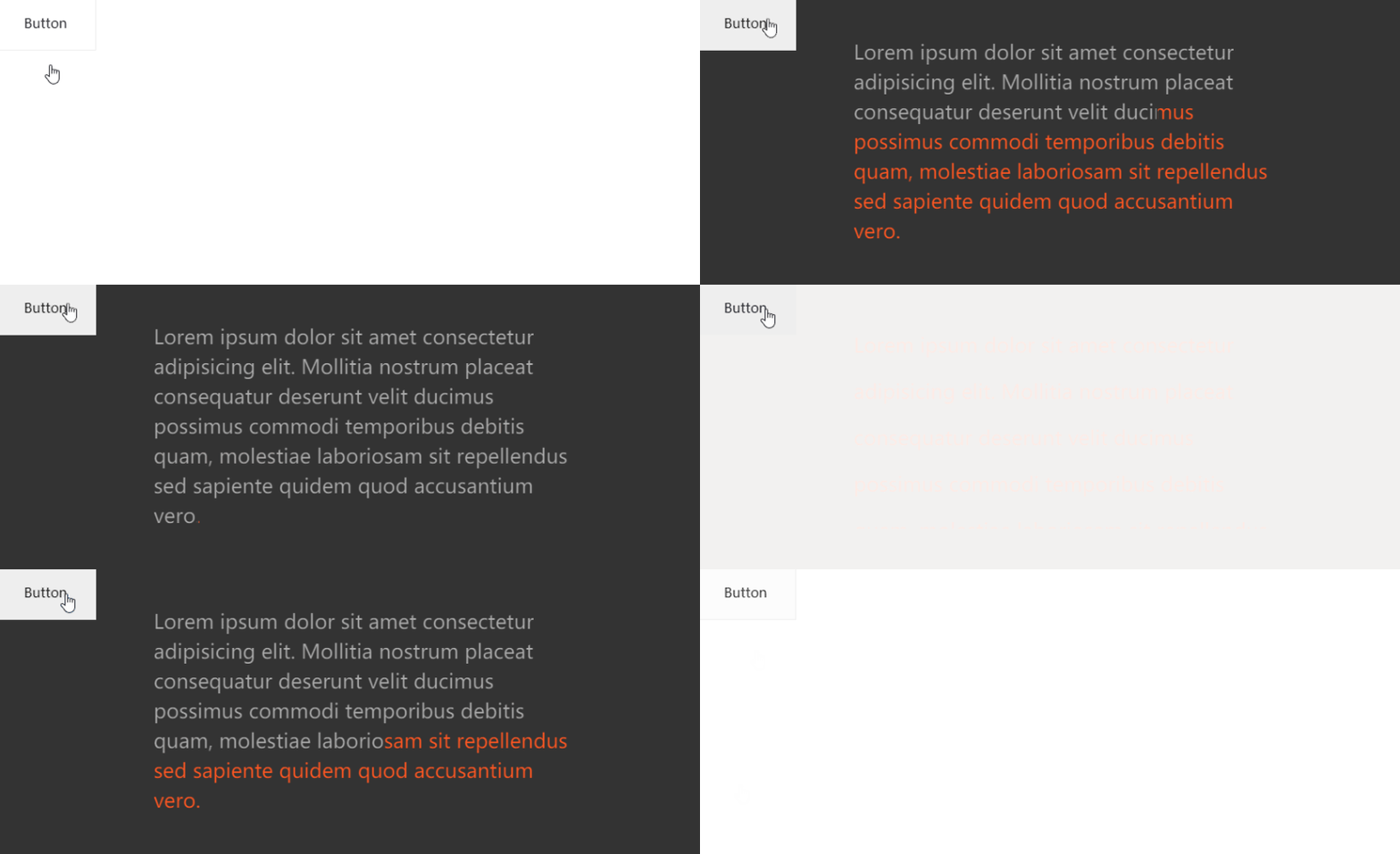
可以看到,由于是整体控制整段文本,效果上没有逐个单词控制的好,但是优点是代码量非常少。对于一些简单卡片类的 hover 场景,足以。
background-image、background-clip 实现文字渐现效果
https://codepen.io/Chokcoco/pen/abwWMJm
完美还原题图效果
当然,题图效果使用纯 CSS 也是不在话下的。只不过就不是简单能够统一处理的了。
这里,我们需要对每一个单词进行精细化的处理,并且使用每个单词的伪元素进行额外的动画。
简单的结构如下:
Lorem ipsum dolor sit amet // ... 类似结构
可以看到,每个单词都被 包裹,并且添加了 data-text,方便伪元素拿到当前单词。
接下来,就是设定动画,并且通过顺序给每个 添加相应递增的 animation-delay 以实现没个单词动画的差异性。核心的伪代码如下:
p {
    position: relative;
    width: 500px;
    overflow: hidden;
}

p span {
    position: relative;
    display: inline-block;
    opacity: 0;
    transform: translateY(15px) translateZ(0);
    transition-property: transform, opacity;
    transition-duration: .3s, .2s;
}

.button:hover ~ p span {
    opacity: 1;
    color: #ddd;
    transform: translateY(0) translateZ(0);
    transition-duration: 1s, .2s;
}

p span:after,
p span:before {
    position: absolute;
    content: attr(data-text);
    top: 0;
    left: 0;
    z-index: 1;
    transform: translateZ(0);
}

p span:after {
    color: #e62541;
    transition-property: opacity;
    transition-duration: .1s;
}

.button:hover ~ p span:after {
    opacity: 0;
    transition-property: opacity;
    transition-duration: .4s;
}

@for $i from 1 to 21 {
    p span:nth-child(#{$i}) {
        transition-delay: #{$i * 0.04}s;

        &::after {
            transition-delay: #{$i * 0.04 + 0.2}s;
        }
    }
}
其实动画本身不太复杂,主要讲两点:
hover 状态下和非 hover 状态下的
transition-duration是不一样的,是因为取消 hover 过程中,动画消失过程的时间通常是要求更短的;借助了 SASS 的循环
@for $i from 1 to 21 {}递增给每个span和它的伪元素添加了递增的transition-delay;
最终,我们可以得到如下的结果:
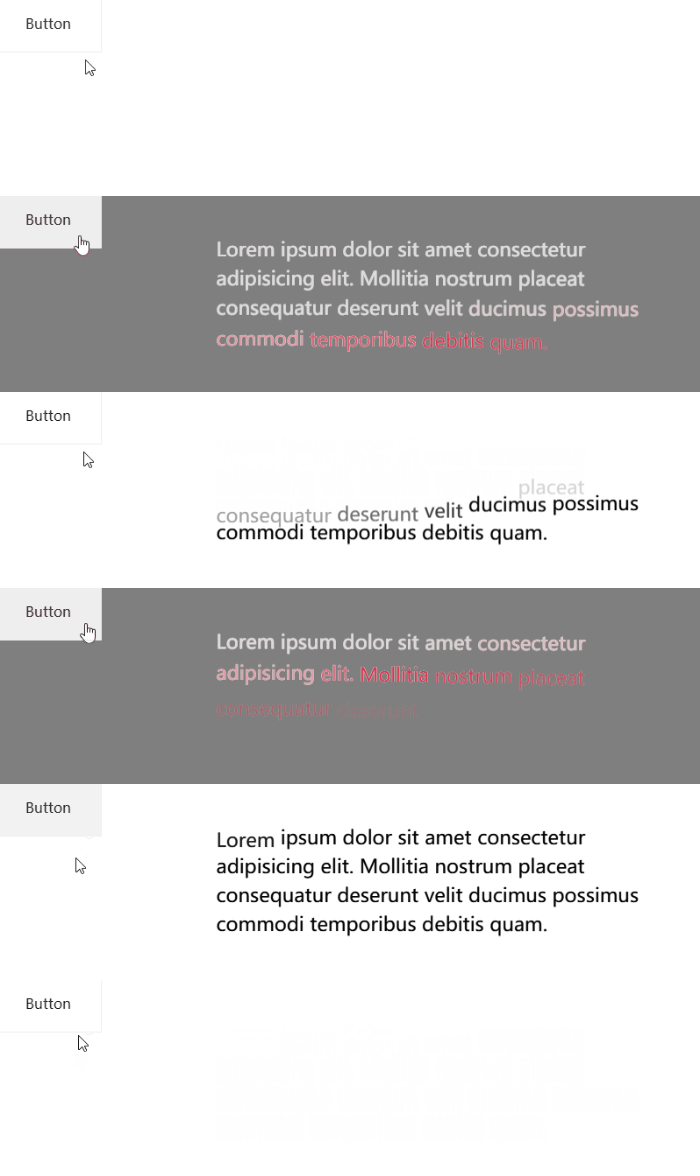
完整的代码,你可以参看 -- CSS 灵感 - 利用 animation-delay 实现文字渐现效果
https://csscoco.com/inspiration/#/./animation/animation-delay-control-text-effect
原文地址:https://segmentfault.com/a/1190000040693286
作者:chokcoco
更多编程相关知识,请访问:编程视频!!




