
在 web api 中,有非常有用的对象、属性和函数可用于执行小到访问 dom 这样的小任务,大到处理音频、视频这样的复杂任务。常见的 api 有 canvas、web worker、history、fetch 等。下面就来看一些不常见但很实用的 web api!
全文概览:
Web Audio API
Fullscreen API
Web Speech API
Web Bluetooth API
Vibration API
Broadcast Channel API
Clipboard API
Web Share API
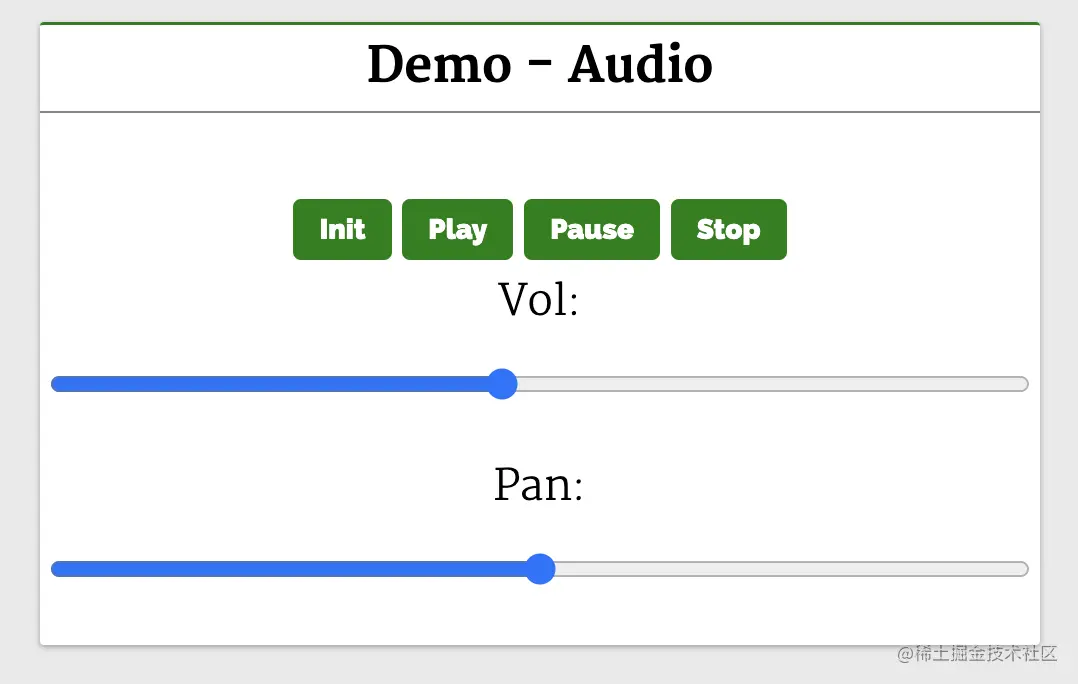
Audio API 允许我们在 Web 上操作音频流,它可以用于 Web 上的音频源添加效果和过滤器。音频源可以来自<audio></audio>:系统上以全屏模式显示所选元素,会关闭其他应用程序以及浏览器和系统 UI 元素。
<audio></audio>:退出全屏模式并切换到正常模式。下面来看一个常见的例子,使用全屏模式观看视频::
<body>
    <header>
        <h2>Web APIs<h2>
    </header>
    <div class="web-api-cnt">

        <div class="web-api-card">
            <div class="web-api-card-head">
                Demo - Audio
            </div>
            <div class="web-api-card-body">
                <div id="error" class="close"></div>
                <div>
                    <audio controls src="./audio.mp3" id="audio"></audio>
                </div>

                <div>
                    <button onclick="audioFromAudioFile.init()">Init</button>
                    <button onclick="audioFromAudioFile.play()">Play</button>
                    <button onclick="audioFromAudioFile.pause()">Pause</button>
                    <button onclick="audioFromAudioFile.stop()">Stop</button>
                </div>
                <div>

                    <span>Vol: <input onchange="audioFromAudioFile.changeVolume()" type="range" id="vol" min="1" max="2" step="0.01" value="1" /></span>
                    <span>Pan: <input onchange="audioFromAudioFile.changePan()" type="range" id="panner" min="-1" max="1" step="0.01" value="0" /></span>
                </div>

            </div>
        </div>

    </div>
</body>

<script>
    const l = console.log
    let audioFromAudioFile = (function() {
        var audioContext
        var volNode
        var pannerNode
        var mediaSource

        function init() {
            l("Init")
        try {
                audioContext = new AudioContext()
                mediaSource = audioContext.createMediaElementSource(audio)
                volNode = audioContext.createGain()
                volNode.gain.value = 1
                pannerNode = new StereoPannerNode(audioContext, { pan:0 })

                mediaSource.connect(volNode).connect(pannerNode).connect(audioContext.destination)
            }
            catch(e) {
                error.innerHTML = "此设备不支持 Web Audio API"
                error.classList.remove("close")
            }
        }

        function play() {
            audio.play()
        }

        function pause() {
            audio.pause()
        }

        function stop() {
            audio.stop()
        }

        function changeVolume() {
            volNode.gain.value = this.value
            l("Vol Range:",this.value)
        }

        function changePan() {
            pannerNode.gain.value = this.value
            l("Pan Range:",this.value)
        }

        return {
            init,
            play,
            pause,
            stop,
            changePan,
            changeVolume
        }
    })()
</script>可以看到,video 元素在 div#video-stage 元素中,带有一个按钮 Toggle Fullscreen。
当点击按钮切换全屏时,我们想让元素 AudioContext 全屏显示。init 函数的实现如下:
<body>
    <header>
        <h2>Web APIs<h2>
    </header>
    <div class="web-api-cnt">
        <div class="web-api-card">
        <div class="web-api-card-head">
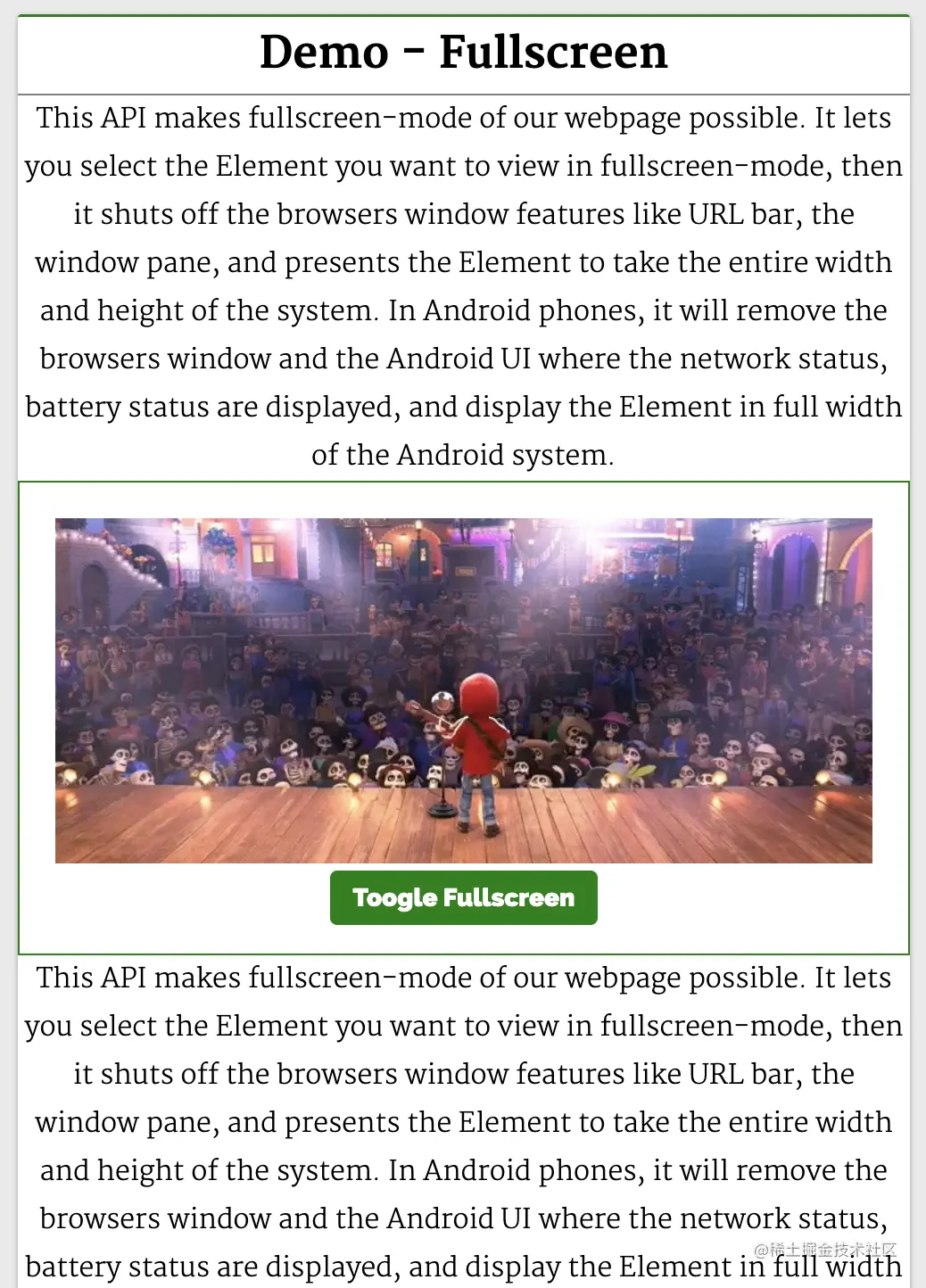
            Demo - Fullscreen
        </div>
        <div class="web-api-card-body">
        <div id="error" class="close"></div>
        <div>
            This API makes fullscreen-mode of our webpage possible. It lets you select the Element you want to view in fullscreen-mode, then it shuts off the browsers window features like URL bar, the window pane, and presents the Element to take the entire width and height of the system.

In Android phones, it will remove the browsers window and the Android UI where the network status, battery status are displayed, and display the Element in full width of the Android system.
        </div>
        <div class="video-stage">
            <video id="video" src="./video.mp4"></video>
            <button onclick="toggle()">Toogle Fullscreen</button>
        </div>
        <div>
            This API makes fullscreen-mode of our webpage possible. It lets you select the Element you want to view in fullscreen-mode, then it shuts off the browsers window features like URL bar, the window pane, and presents the Element to take the entire width and height of the system.

In Android phones, it will remove the browsers window and the Android UI where the network status, battery status are displayed, and display the Element in full width of the Android system.
        </div>
        </div>
        </div>
    </div>
</body>

<script>
    const l =console.log

    function toggle() {
        const videoStageEl = document.querySelector(".video-stage")
        if(videoStageEl.requestFullscreen) {
            if(!document.fullscreenElement){
                videoStageEl.requestFullscreen()
            }
            else {
                document.exitFullscreen()
            }
        } else {
            error.innerHTML = "此设备不支持 Fullscreen API"
            error.classList.remove("close")
        }
    }
</script>这里通过 AudioContext 查找 audioContext 元素并将其 HTMLDivElement 实例保存在 createMediaElementSource(audio) 上。
然后,使用 volNode 属性来确定 createGain 是否是全屏的,所以可以在 StereoPannerNode 上调用 requestFullscreen。 这将使 exitFullscreen 占据整个设备的视图。
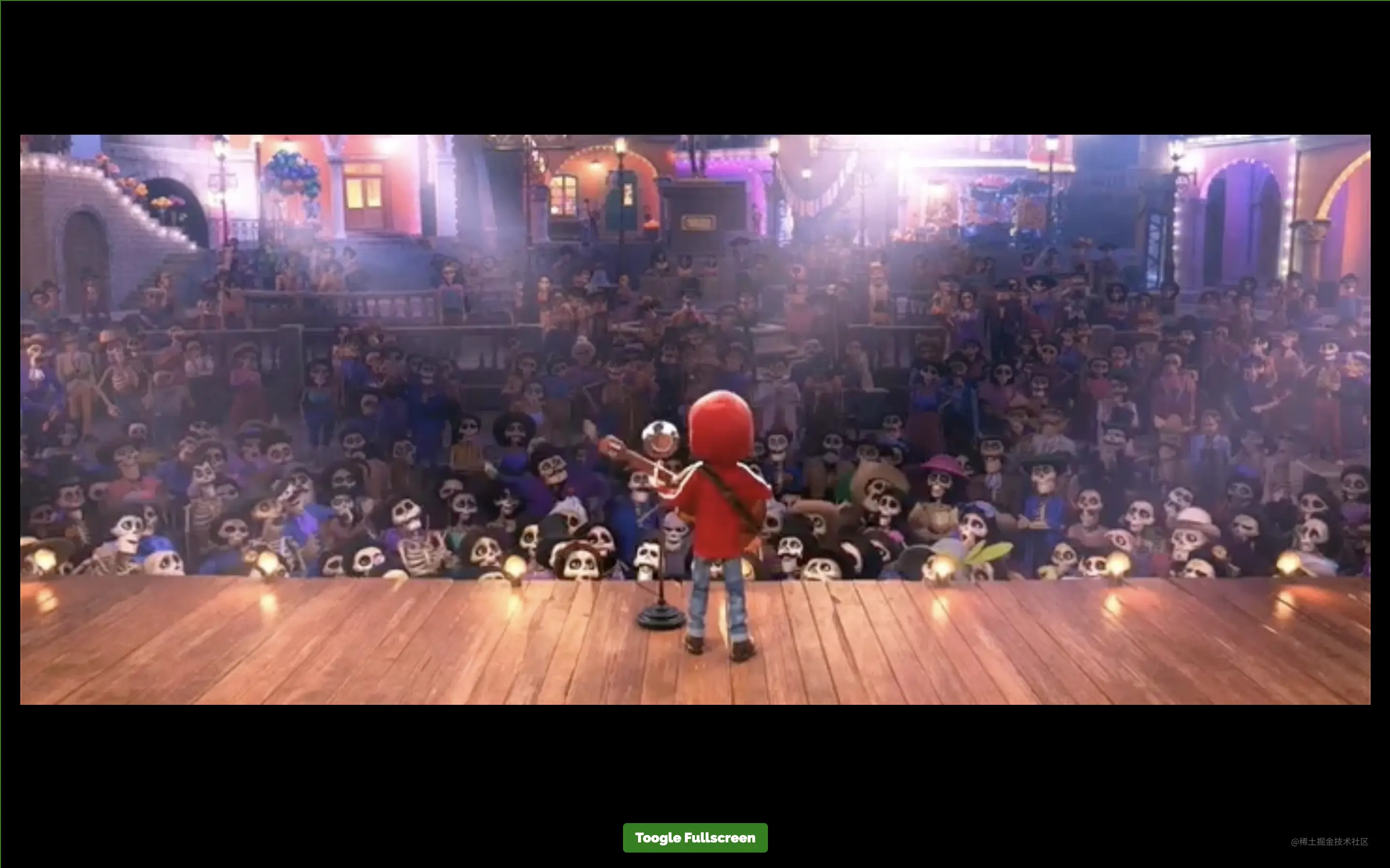
如果在全屏模式下点击 Toggle Fullscreen 按钮,就会在 div#video-stage 上调用 toggle,这样 UI 视图就会返回到普通视图(退出全屏)。
相关资源:
Web Speech API 提供了将语音合成和语音识别添加到 Web 应用程序的功能。使用此 API,我们将能够向 Web 应用程序发出语音命令,就像在 Android 上通过其 Google Speech 或在 Windows 中使用 Cortana 一样。
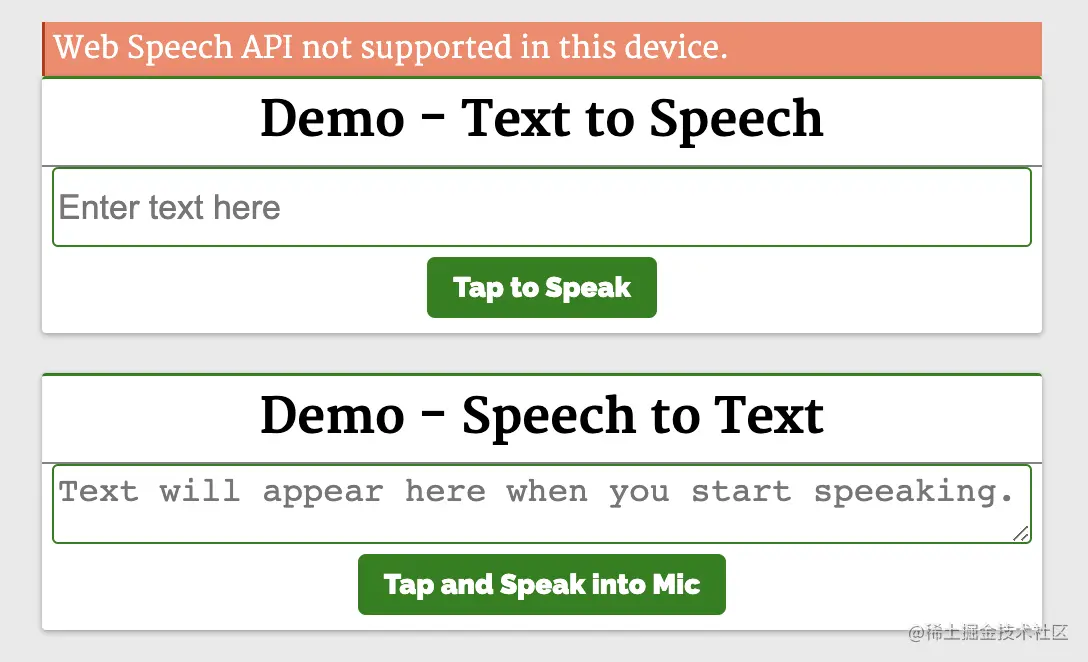
下面来看一个简单的例子,使用 Web Speech API 实现文字转语音和语音转文字:
function toggle() {
  const videoStageEl = document.querySelector(".video-stage")
  if(!document.fullscreenElement)
    videoStageEl.requestFullscreen()
  else
    document.exitFullscreen()
}
第一个演示 Demo - Text to Speech 演示了使用这个 API 和一个简单的输入字段,接收输入文本和一个按钮来执行语音操作。
<body>
    <header>
        <h2>Web APIs<h2>
    </header>
    <div class="web-api-cnt">
        <div id="error" class="close"></div>

        <div class="web-api-card">
            <div class="web-api-card-head">
                Demo - Text to Speech
            </div>
            <div class="web-api-card-body">
                <div>
                    <input placeholder="Enter text here" type="text" id="textToSpeech" />
                </div>

                <div>
                    <button onclick="speak()">Tap to Speak</button>
                </div>
            </div>
        </div>

        <div class="web-api-card">
            <div class="web-api-card-head">
                Demo - Speech to Text
            </div>
            <div class="web-api-card-body">
                <div>
                    <textarea placeholder="Text will appear here when you start speeaking." id="speechToText"></textarea>
                </div>

                <div>
                    <button onclick="tapToSpeak()">Tap and Speak into Mic</button>
                </div>
            </div>
        </div>

    </div>
</body>

<script>

    try {
        var speech = new SpeechSynthesisUtterance()
        var SpeechRecognition = SpeechRecognition;
        var recognition = new SpeechRecognition()

    } catch(e) {
        error.innerHTML = "此设备不支持 Web Speech API"
        error.classList.remove("close")
    }

    function speak() {
        speech.text = textToSpeech.value
        speech.volume = 1
        speech.rate=1
        speech.pitch=1
        window.speechSynthesis.speak(speech)
    }

    function tapToSpeak() {
        recognition.onstart = function() { }

        recognition.onresult = function(event) {
            const curr = event.resultIndex
            const transcript = event.results[curr][0].transcript
            speechToText.value = transcript
        }

        recognition.onerror = function(ev) {
            console.error(ev)
        }

        recognition.start()
    }
</script>它实例化了 querySelector 对象,将文本设置为从输入框中输入的文本中朗读。 然后,使用 div#video-stage 对象调用 videoStageEl 函数,在扬声器中说出输入框中的文本。
第二个演示 Demo - Speech to Text 将语音识别为文字。 点击 Tap and Speak into Mic 按钮并对着麦克风说话,我们说的话会被翻译成文本输入框中的内容。
点击 Tap and Speak into Mic 按钮会调用 tapToSpeak 函数:
function speak() {
  const speech = new SpeechSynthesisUtterance()
  speech.text = textToSpeech.value
  speech.volume = 1
  speech.rate = 1
  speech.pitch = 1
  window.speechSynthesis.speak(speech)
}这里实例化了 document.fullsreenElement,然后注册事件处理程序和回调。语音识别开始时调用 document,发生错误时调用 videoStageEl。 每当语音识别捕获一条线时,就会调用 requestFullscreen()。
在 div#video-stage 回调中,提取内容并将它们设置到 document 中。 因此,当我们对着麦克风说话时,文字会出现在 exitFullcreen 内容中。
相关资源:
Bluetooth API 让我们可以访问手机上的低功耗蓝牙设备,并使用它将网页上的数据共享到另一台设备。

ZipMarket程序仿自Envato旗下网站,对于想创建数字内容/素材交易平台的站长来说,ZipMarket是一个十分独特和极具创新的解决方案,用户在你的网站注册并购买或出售数字内容/素材作品时,你可以获得佣金;用户推广用户到你的网站购买或出售数字内容/素材时,引入用户的用户也可以获得佣金。实际上,ZipMarket是一套完美的数字内容类自由职业生态系统,功能不仅限于素材交易,除了模板/主题、文
 0
0

基本 API 是 SpeechSynthesisUtterance()。 调用它将使浏览器提示用户使用设备选择器,用户可以在其中选择一个设备或取消请求。speech 需要一个强制对象。 此对象定义过滤器,用于返回与过滤器匹配的蓝牙设备。
下面来看一个简单的例子,使用 SpeechSynthesis#speak API 从 BLE 设备检索基本设备信息:
function tapToSpeak() {
  var SpeechRecognition = SpeechRecognition;
  const recognition = new SpeechRecognition()
  recognition.onstart = function() { }
  recognition.onresult = function(event) {
    const curr = event.resultIndex
    const transcript = event.results[curr][0].transcript
    speechToText.value = transcript
  }
  recognition.onerror = function(ev) {
    console.error(ev)
  }
  recognition.start()
}
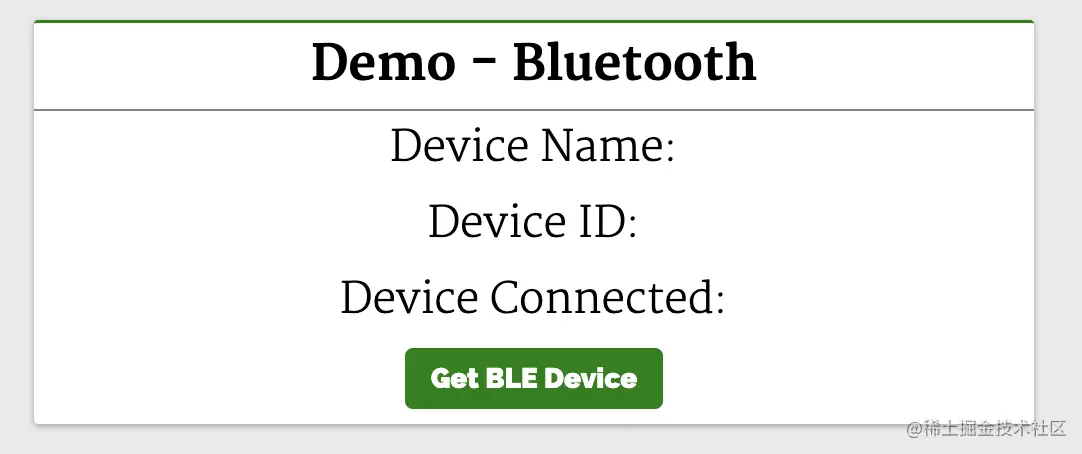
这里会显示设备信息。 单击 Get BLE Device 按钮会调用 SpeechRecognition 函数:
<body>
  <header>
    <h2>Web APIs<h2>
      </header>
      <div class="web-api-cnt">

        <div class="web-api-card">
          <div class="web-api-card-head">
            Demo - Bluetooth
          </div>
          <div class="web-api-card-body">
            <div id="error" class="close"></div>
            <div>
              <div>Device Name: <span id="dname"></span></div>
              <div>Device ID: <span id="did"></span></div>
              <div>Device Connected: <span id="dconnected"></span></div>
            </div>

            <div>
              <button onclick="bluetoothAction()">Get BLE Device</button>
            </div>

          </div>
        </div>

      </div>
      </body>

    <script>
      function bluetoothAction(){
        if(navigator.bluetooth) {
          navigator.bluetooth.requestDevice({
            acceptAllDevices: true
          }).then(device => {
            dname.innerHTML = device.name
            did.innerHTML = device.id
            dconnected.innerHTML = device.connected
          }).catch(err => {
            error.innerHTML = "Oh my!! Something went wrong."
            error.classList.remove("close")
          })
        } else {
          error.innerHTML = "Bluetooth is not supported."
          error.classList.remove("close")
        }
      }
</script>onstart 函数调用带有 onerror 选项的 onresult API,这将使其扫描并列出所有附近的蓝牙活动设备。 它返回了一个 onresult,所以将它解析为从回调函数中获取一个参数 device,这个 device 参数将保存列出的蓝牙设备的信息。这是我们使用其属性在设备上显示信息的地方。
相关资源:
Vibration API 可以使我们的设备振动,作为对我们应该响应的新数据或信息的通知或物理反馈的一种方式。
执行振动的方法是 textarea。textarea 是描述振动模式的单个数字或数字数组。
这将使设备振动在 200 毫秒之后停止:
function bluetoothAction(){
  navigator.bluetooth.requestDevice({
    acceptAllDevices: true
  }).then(device => {
    dname.innerHTML = device.name
    did.innerHTML = device.id
    dconnected.innerHTML = device.connected
  }).catch(err => {
    console.error("Oh my!! Something went wrong.")
  })
}这将使设备先振动 200 毫秒,再暂停 300 毫秒,最后振动 400 毫秒并停止:
navigator.vibrate(200)
navigator.vibrate([200])
可以通过传递 0、[]、[0,0,0] 来消除振动。
下面来看一个简单的例子:
navigator.vibrate([200, 300, 400])
这里有一个输入框和一个按钮。 在输入框中输入振动的持续时间并按下按钮。我们的设备将在输入的时间内振动。
相关资源:
以上就是8个你可能不了解但很实用的Web API的详细内容,更多请关注php中文网其它相关文章!

每个人都需要一台速度更快、更稳定的 PC。随着时间的推移,垃圾文件、旧注册表数据和不必要的后台进程会占用资源并降低性能。幸运的是,许多工具可以让 Windows 保持平稳运行。

 广告
广告Copyright 2014-2025 https://www.php.cn/ All Rights Reserved | php.cn | 湘ICP备2023035733号


 887
887








 收藏
收藏







 取消收藏
取消收藏







