



一、pom.xml导入坐标
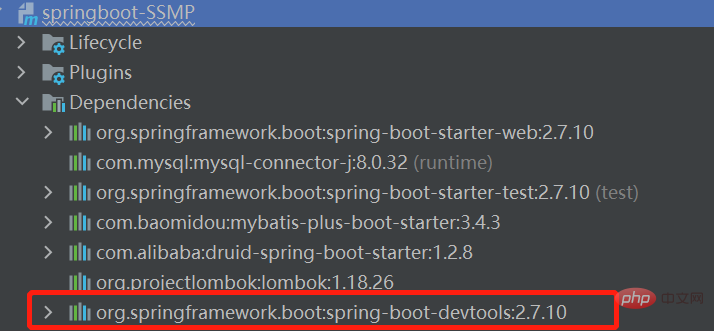
在springboot工程的pom.xml配置文件中,添加以下依赖
            org.springframework.boot
            spring-boot-devtools
            true
二、手工启动热部署
IDEA中激活热部署
快捷键:Ctrl + F9
图形化界面Build Project

三、自动启动热部署
IDEA中自动激活热部署(IDEA失去焦点五秒后自动构建项目,启动热部署)
第一步:
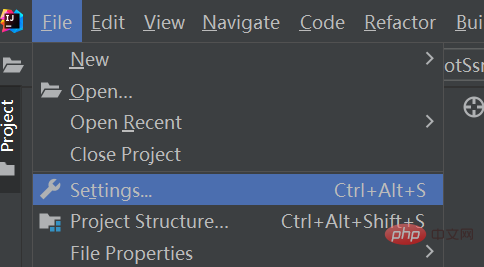
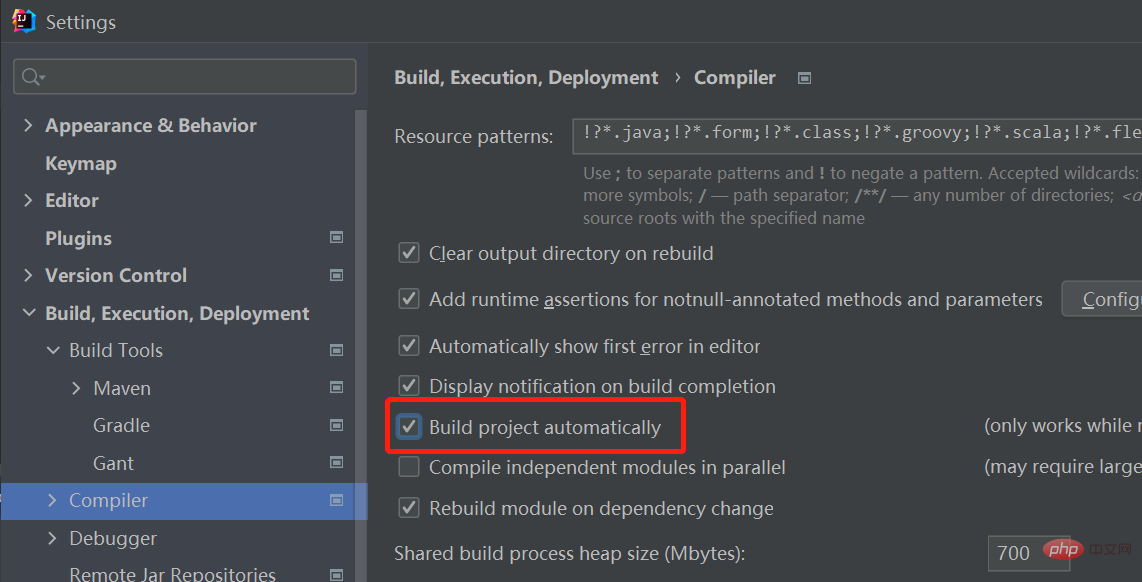
File 》Setting 》Build、Execution、Deployment 》Compiler 》勾选Build project automatically
第二步:
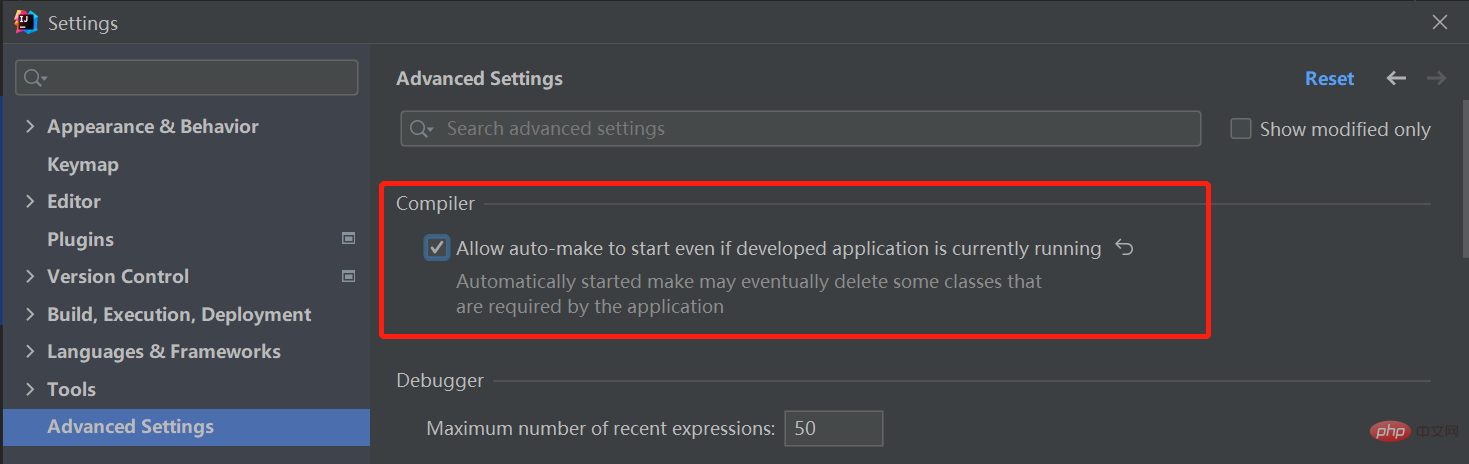
File 》Setting 》advanced Settings 》勾选Allow auto-make to start even if development application is currently running
四、热部署范围配置
关于热部署:

重启(Restart):自定义开发代码,包含类、页面、配置文件等,加载位置restart类加载器
重载(ReLoad):jar包,加载位置base类加载器
热部署范围配置:
默认不触发重启的目录列表:
/META-INF/maven
/META-INF/resources
/resources
/static
/public
/templates
springboot配置文件中,手动设置不参与热部署的文件或文件夹:
# 将application.yml设置为不参与热部署,若需要设置多个参数,参数之间用逗号','隔开spring: devtools: restart: exclude: application.yml
五、关闭热部署
绝对保障,使用不会被配置文件的配置所覆盖的,高优先级配置,来设置热部署关闭:
SpringBoot工程启动类中配置:
import org.springframework.boot.SpringApplication;
import org.springframework.boot.autoconfigure.SpringBootApplication;
@SpringBootApplication
public class SpringbootSsmpApplication {
    public static void main(String[] args) {
        //设置热部署关闭
        System.setProperty("spring.devtools.restart.enabled","false");
        SpringApplication.run(SpringbootSsmpApplication.class, args);
    }
} 




