



SpringBoot外部化配置(基于2.4.0以后)
spring boot可以让你将配置外部化,这样你就可以在不同的环境中使用相同的应用程序代码。 你可以使用各种外部配置源,包括java properties 文件、yaml文件、环境变量和命令行参数。
属性值可以通过使用 @Value 注解直接注入你的Bean,也可以通过Spring 的 Environment 访问,或者通过 @ConfigurationProperties 绑定到对象。同时 Spring Boot 也提供了一种非常特殊的 PropertyOrder,来允许用户可以在适当的场景下覆盖某些属性值,该顺序旨在允许合理地覆盖值。
按以下顺序优先级从低到高, 后者的属性值覆盖前者 ,所有的配置会形成互补配置:
默认属性(使用 SpringApplication.setDefaultProperties 指定)
@Configuration类上的@PropertySource注解引入的配置属性
请注意,这样的属性源直到ApplicationContext被刷新时才会被添加到环境中。这对于配置某些属性来说已经太晚了,比如logging.* 和spring.main.* ,它们在刷新开始前就已经被读取了。
配置数据(例如application.properties文件)
对于random.*形式的属性,优先从RandomValuePropertySource获取(指优先于后者)
OS environment variables((操作系统环境变量)
Java System properties(Java 系统属性System.getProperties())
JNDI 属性
ServletContext 的 初始化参数
ServletConfig 的 初始化参数
SPRING_APPLICATION_JSON 属性
命令行参数
test 模块下的 properties 属性
test 模块下 @TestPropertySource 注解引入的配置文件
启用 devtools 时 $HOME/.config/spring-boot 路径下的配置
配置数据文件按以下加载顺序考虑:
打包在 jar 中的应用程序属性(application.properties 和 YAML)
打包在 jar 中的特定配置文件的应用程序属性(application-{profile}.properties 和 YAML)
打包 jar 之外的应用程序属性(application.properties 和 YAML)
打包 jar 之外的特定配置文件的应用程序属性(application-{profile}.properties 和 YAML)
SpringBoot配置文件
Spring中常见的配置文件类型
XML资源
Properties资源
YAML资源
Profile概述
Profile 本质上代表一种用于组织配置信息的维度,在不同场景下可以代表不同的含义。例如,如果 Profile 代表的是一种状态,我们可以使用 open、halfopen、close 等值来分别代表全开、半开和关闭等。再比如系统需要设置一系列的模板,每个模板中保存着一系列配置项。
配置命名规则:
/{application}.yml
/{application}-{profile}.yml
/{label}/{application}-{profile}.yml
/{application}-{profile}.properties
/{label}/{application}-{profile}.properties
配置文件加载顺序
Spring Boot 启动时,会自动加载 JAR 包内部及 JAR 包所在目录指定位置的配置文件(Properties 文件、YAML 文件)。列表按优先级排序(较低项目的值覆盖较早项目的值)
classpath( –classpath )
classpath 根路径
classpath 下的 /config 包
当前目录( –file )
当前目录下
当前目录下的 config/ 子目录
当前目录下的 config/ 子目录的直接子目录
. project-sample
├── config
│   ├── application.yml (4)
│   └── src/main/resources
|   │   ├── application.yml (1)
|   │   └── config
|   |   │   ├── application.yml (2)
├── application.yml (3)
启动时加载配置文件顺序:1 > 2 > 3 > 4
Profile 配置覆盖变更(2.4.0以后)
2.4.0以前版本,默认情况的加载顺序如下:
打包在 jar 中的应用程序属性(application.properties 和 YAML)。
打包 jar 之外的应用程序属性(application.properties 和 YAML)
打包在 jar 中的特定于配置文件的应用程序属性(application-{profile}.properties 和 YAML)
打包 jar 之外的特定于配置文件的应用程序属性(application-{profile}.properties 和 YAML)
注意:在之前的版本中,JAR 包外部的application.properties配置文件不会覆盖 JAR 包里面的基于 "profile" 的application-{profile}.properties 配置文件。
2.4.0以后版本,默认情况的搜索顺序如下:保证了 JAR 包外部的应用程序参数应优先于 JAR 包内部的特定激活的配置参数
打包在 jar 中的应用程序属性(application.properties 和 YAML)。
打包在 jar 中的特定于配置文件的应用程序属性(application-{profile}.properties 和 YAML)
打包 jar 之外的应用程序属性(application.properties 和 YAML)
打包 jar 之外的特定于配置文件的应用程序属性(application-{profile}.properties 和 YAML)
注意:同一位置下,Properties 文件优先级高于 YAML 文件 , 如果Spring Boot在优先级更高的位置找到了配置,那么它就会无视优先级低的配置。
文档排序(2.4.0以后)
从 Spring Boot 2.4 开始,加载 Properties 和 YAML 文件时候会遵循, 在文档中声明排序靠前的属性将被靠后的属性覆盖 。
激活指定配置文件
命令行激活: --spring.profiles.active=prod
spring:
  profiles:
    active: dev #激活开发环境配置
配置文件激活如上,只需要在application.yml或者properties文件中配置即可
注意:在application.yml或者properties文件存在的情况下,不管激活的是prod还是dev,还是会读取默认的配置文件,只不过指定的配置文件会覆盖默认配置文件中的属性
导入额外的配置文件(2.4.0以后)
可以使用spring.config.import属性从其他地方导入更多的配置数据,比如spring.config.import=my.yaml 。它会将 my.yaml 文件作为临时文件放在当前配置文件之后处理,因此其属性具有更高的优先级

云模块_YunMOK网站管理系统采用PHP+MYSQL为编程语言,搭载自主研发的模块化引擎驱动技术,实现可视化拖拽无技术创建并管理网站!如你所想,无限可能,支持创建任何网站:企业、商城、O2O、门户、论坛、人才等一块儿搞定!永久免费授权,包括商业用途; 默认内置三套免费模板。PC网站+手机网站+适配微信+文章管理+产品管理+SEO优化+组件扩展+NEW Login界面.....目测已经遥遥领先..
激活外部配置文件
在运行Jar包的命令中加入这个参数就可以指定Jar包以外的配置文件的位置了,也可以在application的配置文件中配置该属性
$ java -jar myproject.jar --spring.config.location=classpath:/default.properties,classpath:/override.properties
这个参数就是指定外部application.yml配置文件位置的参数,它支持classpath和file路径
java -jar myproject.jar --spring.config.name=myproject
如果您不喜欢application.properties作为配置文件名,您可以通过指定spring.config.name环境属性来切换到另一个文件名
optional可选的配置文件
对于spring.config.location、spring.config.additional-location和spring.config.import等属性的路径,添加optional:前缀,则当对应文件不存在时应用仍可以正常启动
比如spring.config.location=optional:file:/my.yaml,当应用启动加载文件 my.yaml 不存在时,不会抛出异常
嵌入系统配置信息
例如,如果想要获取当前应用程序的名称并作为一个配置项进行管理,那么很简单,我们直接通过 ${spring.application.name} 占位符:
myapplication.name : ${spring.application.name}假设我们使用 Maven 来构建应用程序,那么可以按如下所示的配置项来动态获取与系统构建过程相关的信息:
info:
  app:
    encoding: @project.build.sourceEncoding@
    java:
      source: @java.version@
      target: @java.version@
# 等同于下述效果
info:
  app:
    encoding: UTF-8
    java:
        source: 1.8.0_31
        target: 1.8.0_31
配置参数提示
additional-spring-configuration-metadata.json、spring-configuration-metadata.json在springboot-starter官方项目或第三方starter项目中随处可见,那它起的作用是什么?
配置
additional-spring-configuration-metadata.json文件后,在开发人员的IDE工具使用个人编写的配置读取很有效的在application.properties或application.yml文件下完成提示
配置处理器
在Maven中,该依赖关系应被声明为可选的,如以下例子所示。
    org.springframework.boot
    spring-boot-configuration-processor
    true
创建additional-spring-configuration-metadata.json
在resources/META-INF目录下创建additional-spring-configuration-metadata.json,分类为 “groups” 或 “properties”,附加值提示分类为 "hints",如以下例子所示:
{
    "groups": [
        {
            "name": "server",
            "type": "org.springframework.boot.autoconfigure.web.ServerProperties",
            "sourceType": "org.springframework.boot.autoconfigure.web.ServerProperties"
        },
        {
            "name": "spring.jpa.hibernate",
            "type": "org.springframework.boot.autoconfigure.orm.jpa.JpaProperties$Hibernate",
            "sourceType": "org.springframework.boot.autoconfigure.orm.jpa.JpaProperties",
            "sourceMethod": "getHibernate()"
        }
    ...
    ],
    "properties": [
        {
            "name": "server.port",
            "type": "java.lang.Integer",
            "sourceType": "org.springframework.boot.autoconfigure.web.ServerProperties"
        },
        {
            "name": "server.address",
            "type": "java.net.InetAddress",
            "sourceType": "org.springframework.boot.autoconfigure.web.ServerProperties"
        },
        {
            "name": "spring.jpa.hibernate.ddl-auto",
            "type": "java.lang.String",
            "description": "DDL mode. This is actually a shortcut for the "hibernate.hbm2ddl.auto" property.",
            "sourceType": "org.springframework.boot.autoconfigure.orm.jpa.JpaProperties$Hibernate"
        }
    ...
    ],
    "hints": [
        {
            "name": "spring.jpa.hibernate.ddl-auto",
            "values": [
                {
                    "value": "none",
                    "description": "Disable DDL handling."
                },
                {
                    "value": "validate",
                    "description": "Validate the schema, make no changes to the database."
                },
                {
                    "value": "update",
                    "description": "Update the schema if necessary."
                },
                {
                    "value": "create",
                    "description": "Create the schema and destroy previous data."
                },
                {
                    "value": "create-drop",
                    "description": "Create and then destroy the schema at the end of the session."
                }
            ]
        }
    ]
}
Property 属性
properties 数组中包含的JSON对象可以包含下表中描述的属性。
| Name | 类型 | 目的 |
|---|---|---|
| name | String | 属性的全名。 名称采用小写的句号分隔形式(例如,server.address)。 这个属性是强制性的。 |
| type | String | 该属性的数据类型的完整签名(例如,java.lang.String),但也有完整的通用类型(例如 java.util.Map |
| description | String | 可以显示给用户的该property的简短描述。 如果没有描述,可以省略。 描述中的最后一行应以句号(.)结束。 |
| sourceType | String | 贡献此属性的来源的类名。 例如,如果该属性来自于一个用 @ConfigurationProperties 注解的类,该属性将包含该类的完全限定名称。 如果源类型未知,可以省略。 |
| defaultValue | Object | 默认值,如果没有指定该属性,则使用该值。 如果该属性的类型是一个数组,它可以是一个数组的值。 如果默认值是未知的,它可以被省略。 |
| deprecation | Deprecation | 指定该属性是否被废弃。 如果该字段没有被废弃,或者不知道该信息,可以省略。 下表提供了关于 deprecation 属性的更多细节。 |
Hint 属性
包含在 hints 数组中的JSON对象可以包含下表中的属性。
| Name | 类型 | 目的 |
|---|---|---|
| name | String | 此提示所指向的属性的全名。 名称采用小写的句号分隔形式(如 spring.mvc.servlet.path)。 这个属性是强制性的。 |
| values | ValueHint[] | 由 ValueHint 对象定义的有效值的列表(在下表中描述)。 每个条目都定义了值,并且可以有一个description。 |
每个 hint 元素的 values 属性中包含的JSON对象可以包含下表中描述的属性。
| Name | 类型 | 目的 |
|---|---|---|
| value | Object | 提示所指的元素的一个有效值。 如果该属性的类型是一个数组,它也可以是一个数组的值。 这个属性是强制性的。 |
| description | String | 可以显示给用户的价值的简短描述。 如果没有描述,可以省略。 描述中的最后一行应以句号(.)结束。 |
SpringBoot命令行参数
参考:https://www.yisu.com/article/191629.htm
启动Spring Boot项目时传递参数,有三种参数形式:
选项参数,基本格式为
--optName[=optValue](--为连续两个减号)
--foo
--foo=bar
--foo="bar then baz"
--foo=bar,baz,biz
非选项参数
java -jar xxx.jar abc def
系统参数
java -jar -Dserver.port=8081 xxx.jar
相当于 SpringBoot 基于 Java 命令行参数中的非选项参数自定义了选项参数的规则,具体可以看解析器SimpleCommandLineArgsParser,它里面调用其parse方法对参数进行解析
class SimpleCommandLineArgsParser {
    public CommandLineArgs parse(String... args) {
        CommandLineArgs commandLineArgs = new CommandLineArgs();
        for (String arg : args) {
            // --开头的选参数解析
            if (arg.startsWith("--")) {
                // 获得key=value或key值
                String optionText = arg.substring(2, arg.length());
                String optionName;
                String optionValue = null;
                // 如果是key=value格式则进行解析
                if (optionText.contains("=")) {
                    optionName = optionText.substring(0, optionText.indexOf('='));
                    optionValue = optionText.substring(optionText.indexOf('=')+1, optionText.length());
                } else {
                    // 如果是仅有key(--foo)则获取其值
                    optionName = optionText;
                }
                // 如果optionName为空或者optionValue不为空但optionName为空则抛出异常
                if (optionName.isEmpty() || (optionValue != null && optionValue.isEmpty())) {
                    throw new IllegalArgumentException("Invalid argument syntax: " + arg);
                }
                // 封装入CommandLineArgs
                commandLineArgs.addOptionArg(optionName, optionValue);
            } else {
                commandLineArgs.addNonOptionArg(arg);
            }
        }
        return commandLineArgs;
    }
}
参数值的获取
如果您需要访问传递给应用程序的参数SpringApplication.run(…),您可以注入一个ApplicationArguments。该ApplicationArguments接口提供对原始String[]参数以及选项参数和非选项参数的访问,如以下示例所示:
@Component
public class MyBean {
    @Autowired
    public MyBean(ApplicationArguments args) {
        boolean debug = args.containsOption("debug");
        ListzuojiankuohaophpcnStringyoujiankuohaophpcn files = args.getNonOptionArgs();
        // if run with "--debug logfile.txt" debug=true, files=["logfile.txt"]
    }
}
另外,选项参数,也可以直接通过
@Value在类中获取系统参数可以通过java.lang.System提供的方法获取
参数值的区别
关于参数值区别,重点看选项参数和系统参数。通过上面的示例我们已经发现使用选项参数时,参数在命令中是位于xxx.jar之后传递的,而系统参数是紧随java -jar之后。
如果不按照该顺序进行执行,比如使用如下方式使用选项参数:
java -jar --server.port=8081 xxx.jar
则会抛出如下异常:
Unrecognized option: --server.port=8081
Error: Could not create the Java Virtual Machine.
Error: A fatal exception has occurred. Program will exit.
如果将系统参数放在jar包后面,问题会更严重,会出现可以正常启动,但参数无法生效。这个错误是最坑的,所以一定谨记:通过-D传递系统参数时,务必放置在待执行的jar包之前。
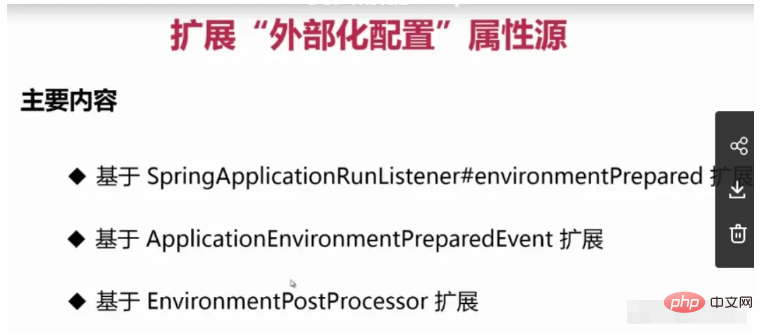
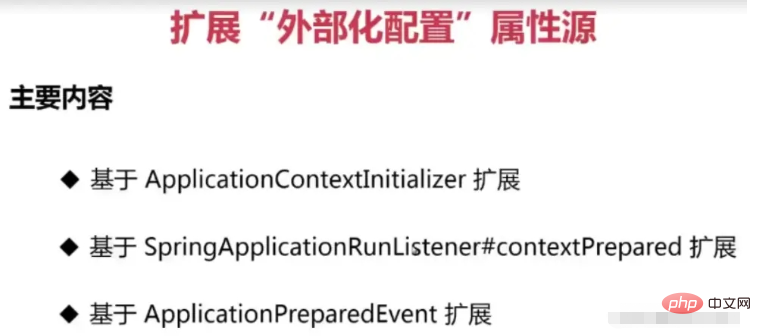
扩展“外部化配置”属性源
SpingBoot怎么支持YAML配置文件解析?
处理@PropertySource注解从ConfigurationClassParser#processPropertySource方法进
Spring中@PropertySource默认不支持YAML格式的解析,但是SpringBoot的配置文件却可以解析YAML,这说明SpringBoot中已经实现了YAML文件的解析,我们只需要复用即可,我们可以看该注解源码
/**
 * Specify a custom {@link PropertySourceFactory}, if any.
 * By default, a default factory for standard resource files will be used.
 * @since 4.3
 * @see org.springframework.core.io.support.DefaultPropertySourceFactory
 * @see org.springframework.core.io.support.ResourcePropertySource
 */
Class factory() default PropertySourceFactory.class;
PropertySourceFactory的默认实现是DefaultPropertySourceFactory
public class DefaultPropertySourceFactory implements PropertySourceFactory {
	@Override
	public PropertySource createPropertySource(@Nullable String name, EncodedResource resource) throws IOException {
		return (name != null ? new ResourcePropertySource(name, resource) : new ResourcePropertySource(resource));
	}
}
ResourcePropertySource默认不支持YAML,所以我们可以通过实现PropertySourceFactory接口,然后用@PropertySource的factory属性来实现YAML的解析
public class YamlPropertySourceFactory implements PropertySourceFactory {
    @Override
    public PropertySource createPropertySource(String name, EncodedResource resource) throws IOException {
        YamlPropertiesFactoryBean yamlPropertiesFactoryBean = new YamlPropertiesFactoryBean();
        yamlPropertiesFactoryBean.setResources(resource.getResource());
        Properties yamlProperties = yamlPropertiesFactoryBean.getObject();
        return new PropertiesPropertySource(name, yamlProperties);
    }
}
关于ApplicationEnvironmentPreparedEvent没有被执行的原因
官方文档中有说到:有些事件实际上是在ApplicationContext被创建之前触发的,所以我们不能将这些事件的监听器注册为@Bean。
因为这个时候应用上下文还没有被创建,也就是说监听器也还没有被初始化,这个先后顺序不对,会导致这些事件的监听器不会被触发
但可以使用SpringApplication.addListeners(...) 方法或SpringApplicationBuilder.listeners(...) 方法注册它们。
如果您希望这些侦听器自动注册的话,可以通过新建一个META-INF/spring.factories文件,添加类似以下内容,SpringBoot会自动帮你注册。
org.springframework.context.ApplicationListener=com.example.project.MyListener
应用程序事件
应用程序运行时,应用程序事件按以下顺序发送:
An ApplicationStartingEvent is sent at the start of a run but before any processing, except for the registration of listeners and initializers.
An ApplicationEnvironmentPreparedEvent is sent when the Environment to be used in the context is known but before the context is created.
An ApplicationContextInitializedEvent is sent when the ApplicationContext is prepared and ApplicationContextInitializers have been called but before any bean definitions are loaded.
An ApplicationPreparedEvent is sent just before the refresh is started but after bean definitions have been loaded.
An ApplicationStartedEvent is sent after the context has been refreshed but before any application and command-line runners have been called.
An AvailabilityChangeEvent is sent right after with LivenessState.CORRECT to indicate that the application is considered as live.
An ApplicationReadyEvent is sent after any application and command-line runners have been called.
An AvailabilityChangeEvent is sent right after with ReadinessState.ACCEPTING_TRAFFIC to indicate that the application is ready to service requests.
An ApplicationFailedEvent is sent if there is an exception on startup.
The above list only includes SpringApplicationEvents that are tied to a SpringApplication. In addition to these, the following events are also published after ApplicationPreparedEvent and before ApplicationStartedEvent:
A WebServerInitializedEvent is sent after the WebServer is ready. ServletWebServerInitializedEvent and ReactiveWebServerInitializedEvent are the servlet and reactive variants respectively.
A ContextRefreshedEvent is sent when an ApplicationContext is refreshed.




