
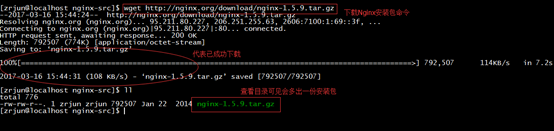
1、 首先到nginx官网下载nginx安装包
下载好后会见到类似下面的一份文件

创建nginx-src目录并且去到nginx-src目录里运行如下命令即可:
mkdir nginx-src && cd nginx-src
当然也可以在linux底下运行以下命令进行下载nginx安装包
wget http://nginx.org/download/nginx-1.5.9.tar.gz
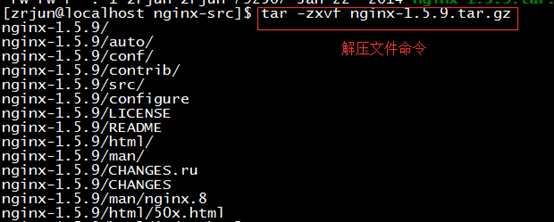
2、解压nginx-1.5.9.tar.gz文件
tar -zxvf nginx-1.5.9.tar.gz
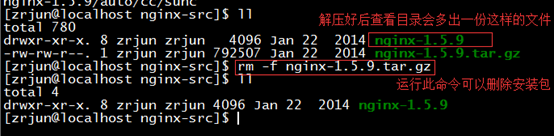
3、删除安装包文件命令
rm -f nginx-1.5.9.tar.gz
4、配置安装运行命令
cd nginx-1.5.9/

./configure --prefix=/usr/local/nginx
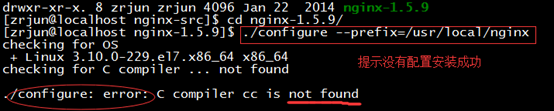
也许是提示缺包:
./configure: error: the http rewrite module requires the pcre library.
you can either disable the module by using --without-http_rewrite_module
option, or install the pcre library into the system, or build the pcre library
statically from the source with nginx by using --with-pcre=
安装pcre-devel解决问题(需要有网络下运行并且是超级管理员身份)
yum -y install pcre-devel
yum -y install openssl openssl-devel

要切换为root超级管理员身份: su
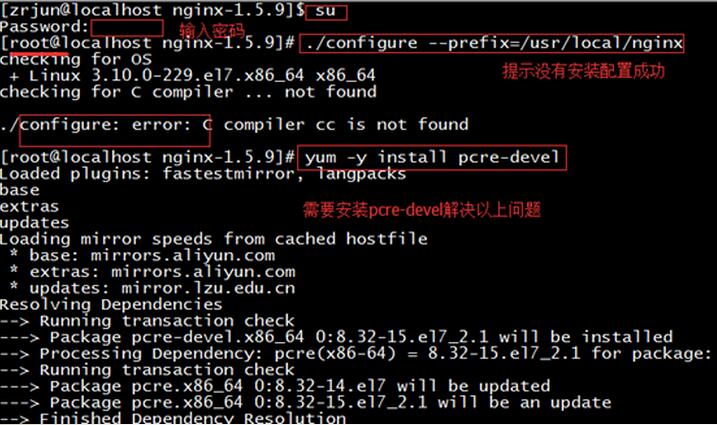
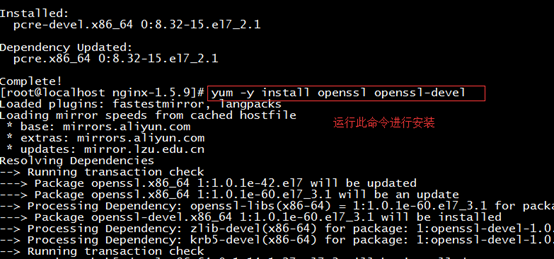
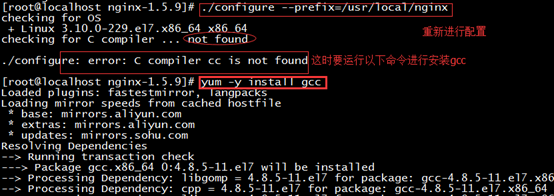
现在进行重新配置
./configure --prefix=/usr/local/nginx
如果重新配置也不成功这时需要安装gcc
yum –y install gcc

易优建筑工程集团公司网站源码是基于易优cms开发的,前端页面针对建筑工程施工公司集团的实际需求进行设计,建站行业公司只要通过后台把网站名称、栏目名称、图片替换一下就可以制作属于自己的网站了。前端页面截图 网站首页 项目展示 集团资讯 联系我们项目案例 安装环境要求:操作系统:Linux/Unix/Windows软件环境:Apache/Nginx/IIS + PHP 5.5~7.1 + MySQL
 0
0

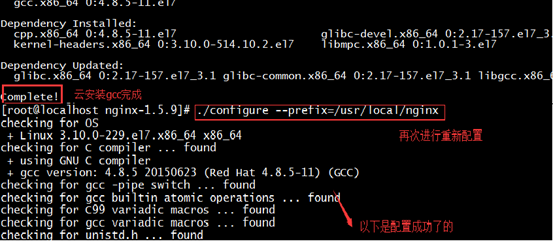
安装好gcc之后再次进行配置
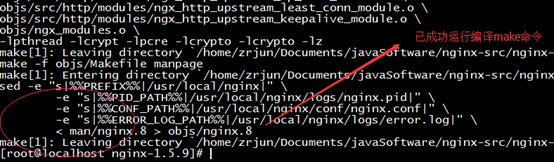
5、编译命令
make
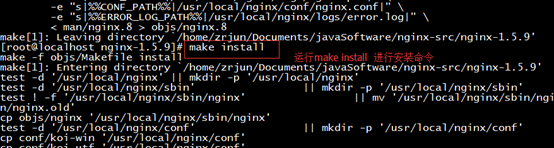
6、安装命令
make install
7、安装完毕,启动nginx
cd /usr/local/nginx/sbin
./nginx

如果启动不成功可能是防火墙问题导致
这时需要关闭防火墙
systemctl stop firewalld.service

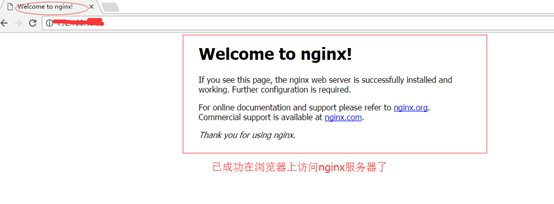
8、访问nginx
http://ip地址
9、如果要精简一下配置文件
重新加载配置文件
运行命令:nginx -s reload
到这里博主我就成功的在linux centos7下安装了nginx服务器
并且已经成功的在浏览器上通过ip地址访问到nginx。
以上就是Linux centos7环境下Nginx安装实例分析的详细内容,更多请关注php中文网其它相关文章!

每个人都需要一台速度更快、更稳定的 PC。随着时间的推移,垃圾文件、旧注册表数据和不必要的后台进程会占用资源并降低性能。幸运的是,许多工具可以让 Windows 保持平稳运行。

Copyright 2014-2025 https://www.php.cn/ All Rights Reserved | php.cn | 湘ICP备2023035733号


 537
537




 收藏
收藏







 取消收藏
取消收藏







