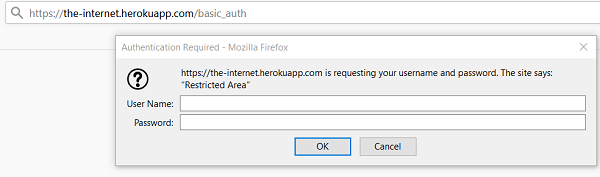
我们可以使用selenium处理身份验证弹窗。为了做到这一点,我们必须在url中传递用户凭据。我们需要将用户名和密码添加到url中。
语法
https://username:password@URL
https://admin:admin@the−nternet.herokuapp.com/basic_auth
Here, the admin is the username and password.
URL − www.the-internet.herokuapp.com/basic_auth
让我们工作并接受下面的身份验证弹窗。

示例
import org.openqa.selenium.By;
import org.openqa.selenium.WebDriver;
import org.openqa.selenium.WebElement;
import org.openqa.selenium.chrome.ChromeDriver;
public class AuthnPopup{
   public static void main(String[] args) {
      System.setProperty("webdriver.chrome.driver",
      "C:\Users\ghs6kor\Desktop\Java\chromedriver.exe");
      WebDriver driver = new ChromeDriver();
      String u = "admin";
      // adding username, password with URL
      String str = "https://" + u + ":" + u + "@" +
      "the-internet.herokuapp.com/basic_auth";
      driver.get(str);
      // identify and get text after authentication of popup
      String t = driver.findElement(By.cssSelector("p")).getText();
      System.out.println("Text is: " + t);
      driver.quit();
   }
}
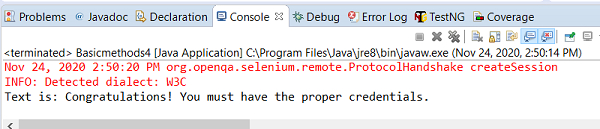
输出