




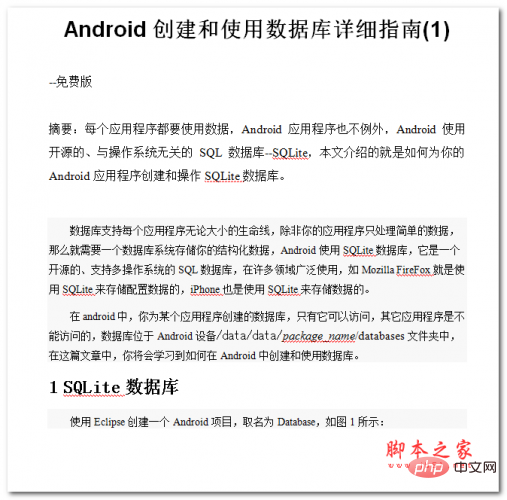
Android创建和使用数据库详细指南 中文WORD版
下载
每个应用程序都要使用数据,Android应用程序也不例外,Android使用开源的、与操作系统无关的SQL数据库--SQLite,本文介绍的就是如何为你的Android应用程序创建和操作SQLite数据库。 数据库支持每个应用程序无论大小的生命线,除非你的应用程序只处理简单的数据,那么就需要一个数据库系统存储你的结构化数据,Android使用SQLite数据库,它是一个开源的、支持多操作系统的SQL数据库,在许多领域广泛使用,如Mozilla FireFox就是使用SQLite来存储配置数据的,iPhon
Flexjson是一个轻量级库,用于将 Java 对象序列化为 JSON 格式以及反序列化为 JSON 格式。我们还可以使用 JSONSerializer 类的 serialize() 方法来序列化 Map,它对目标实例执行浅层序列化。
语法
public String serialize(Object target)
示例
import flexjson.JSONSerializer;
import java.util.*;
public class JsonSerializeMapTest {
   public static void main(String[] args) {
      JSONSerializer serializer = new JSONSerializer().prettyPrint(true);
      Student student = new Student("Adithya", "Sai", 28, "Hyderabad");
      Map map = new HashMap();
      map.put("Student1", "Raja");
      map.put("Student2", "Ravi");
      map.put("my_student", student);
      String jsonStr = serializer.serialize(map);
      System.out.println(jsonStr);
   }
}
// Student class
class Student {
   private String firstName;
   private String lastName;
   private int age;
   private String address;
   public Student() {}
   public Student(String firstName, String lastName, int age, String address) {
      super();
      this.firstName = firstName;
      this.lastName = lastName;
      this.age = age;
      this.address = address;
   }
   public String getFirstName() {
      return firstName;
   }
   public String getLastName() {
      return lastName;
   }
   public int getAge() {
      return age;
   }
   public String getAddress() {
      return address;
   }
   public String toString() {
      return "Student[ " +
             "firstName = " + firstName +
             ", lastName = " + lastName +
            ", age = " + age +
         ", address = " + address +" ]";
   }
}
输出
{
   "my_student": {
      "address": "Hyderabad",
      "age": 28,
      "class": "Student",
      "firstName": "Adithya",
      "lastName": "Sai"
 },
 "Student1": "Raja",
 "Student2": "Ravi"
} 




