
visual studiomysql数据
#define _CRT_SECURE_NO_WARNINGS#include <windows.h> #include <stdio.h> #include <stdlib.h> #include <string.h> #include <mysql.h> #include <iostream> #pragma comment(lib,"libmysql64.lib")//连接MysQL需要的库 #pragma comment(lib,"libmysql.lib")//连接MysQL需要的库 using namespace std;int main(){ const char user[] = "VISUAL_STUDIO1"; //username const char pswd[] = "ligh123456789"; //password const char host[] = "118.192.151.230"; //or"127.0.0.1" const char table[] = "testdb"; //database unsigned int port = 3306; //server port MYSQL myCont; MYSQL_RES *result; MYSQL_ROW sql_row; MYSQL_FIELD *fd; char column[32][32]; int res; mysql_init(&myCont); if (mysql_real_connect(&myCont, host, user, pswd, table, port, NULL, 0)) { cout << "connect succeed!" << endl; mysql_query(&myCont, "SET NAMES GBK"); //设置编码格式,否则在cmd下无法显示中文 res = mysql_query(&myCont, "select * from uc");//查询 if (!res) { result = mysql_store_result(&myCont);//保存查询到的数据到result if (result) { int i, j; cout << "number of result: " << (unsigned long)mysql_num_rows(result) << endl; for (i = 0; fd = mysql_fetch_field(result); i++)//获取列名 { strcpy(column[i], fd->name); } j = mysql_num_fields(result); for (i = 0; i<j; i++) { printf("%s\t", column[i]); } printf("\n"); while (sql_row = mysql_fetch_row(result))//获取具体的数据 { for (i = 0; i<j; i++) { printf("%s\n", sql_row[i]); } printf("\n"); } } } else { cout << "query sql failed!" << endl; } } else { cout << "connect failed!" << endl; } if (result != NULL) mysql_free_result(result);//释放结果资源 mysql_close(&myCont);//断开连接 return 0;}为什么运行结果会有这个::::::
错误 1 error LNK1104: 无法打开文件“libmysql64.lib” d:\用户目录\我的文档\Visual Studio 2013\Projects\MySQL\MySQL\LINK
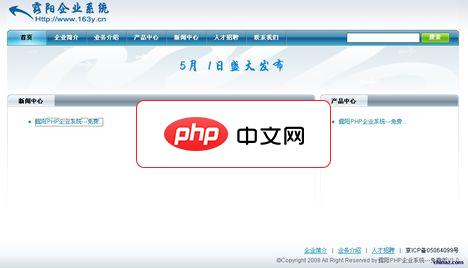
1.) 将所有文件解压到php环境中,本程序才用smarty+php+mysql设计。如果运行不了,请修改hhy文件夹下的smarty.php文件改法请看说明2.) 修改configs下的config.inc.php下的连接数据库的密码和用户名3.) 本程序没有做安全页面,人工导入sql.inc到mysql数据库。管理员初始化帐号为admin,密码为hhy。后台地址:http://你的网站地址/h
 0
0


每个人都需要一台速度更快、更稳定的 PC。随着时间的推移,垃圾文件、旧注册表数据和不必要的后台进程会占用资源并降低性能。幸运的是,许多工具可以让 Windows 保持平稳运行。

Copyright 2014-2025 https://www.php.cn/ All Rights Reserved | php.cn | 湘ICP备2023035733号


 671
671




 收藏
收藏















