



the following script will easily allow you to resize images using php. 下面的Php代码能够非常容易的让你生成缩略图 ?php /** File: SimpleImage.php* Author: Simon Jarvis* Copyright: 2006 Simon Jarvis* Date: 08/11/06* Link: http://www.white-hat
the following script will easily allow you to resize images using php.
下面的Php代码能够非常容易的让你生成缩略图
image_type = $image_info[2];
        if( $this->image_type == IMAGETYPE_JPEG ) {
            $this->image = imagecreatefromjpeg($filename);
        } elseif( $this->image_type == IMAGETYPE_GIF ) {
            $this->image = imagecreatefromgif($filename);
        } elseif( $this->image_type == IMAGETYPE_PNG ) {
            $this->image = imagecreatefrompng($filename);
        }
    }
    function save($filename, $image_type=IMAGETYPE_JPEG, $compression=75, $permissions=null) {

        if( $image_type == IMAGETYPE_JPEG ) {
            imagejpeg($this->image,$filename,$compression);
        } elseif( $image_type == IMAGETYPE_GIF ) {

            imagegif($this->image,$filename);
        } elseif( $image_type == IMAGETYPE_PNG ) {

            imagepng($this->image,$filename);
        }
        if( $permissions != null) {

            chmod($filename,$permissions);
        }
    }
    function output($image_type=IMAGETYPE_JPEG) {

        if( $image_type == IMAGETYPE_JPEG ) {
            imagejpeg($this->image);
        } elseif( $image_type == IMAGETYPE_GIF ) {

            imagegif($this->image);
        } elseif( $image_type == IMAGETYPE_PNG ) {

            imagepng($this->image);
        }
    }

    function getWidth() {

        return imagesx($this->image);
    }

    function getHeight() {

        return imagesy($this->image);
    }
    function resizeToHeight($height) {

        $ratio = $height / $this->getHeight();
        $width = $this->getWidth() * $ratio;
        $this->resize($width,$height);
    }

    function resizeToWidth($width) {
        $ratio = $width / $this->getWidth();
        $height = $this->getheight() * $ratio;
        $this->resize($width,$height);
    }

    function scale($scale) {
        $width = $this->getWidth() * $scale/100;
        $height = $this->getheight() * $scale/100;
        $this->resize($width,$height);
    }

    function resize($width,$height) {
        $new_image = imagecreatetruecolor($width, $height);
        imagecopyresampled($new_image, $this->image, 0, 0, 0, 0, $width, $height, $this->getWidth(), $this->getHeight());
        $this->image = $new_image;
    }

}
(Usage)用法
Save the above file as SimpleImage.php and take a look at the following examples of how to use the script.
保存上面的代码,文件名为SimpleImage.php,看下面的例子如何使用脚本
The first example below will load a file named picture.jpg resize it to 250 pixels wide and 400 pixels high and resave it as picture2.jpg
第一个例子加载一个名为picture.jpg的图片,并且重新缩放为250×400px的图片,另存为picture2.jpg
load('picture.jpg');
    $image->resize(250,400);
    $image->save('picture2.jpg');
If you want to resize to a specifed width but keep the dimensions ratio the same then the script can work out the required height for you, just use the resizeToWidth function.
如果你想Resize一个图片,并且指定宽度保持宽高比例,那么你可以采用resizeToWidth这个方法
立即学习“PHP免费学习笔记(深入)”;
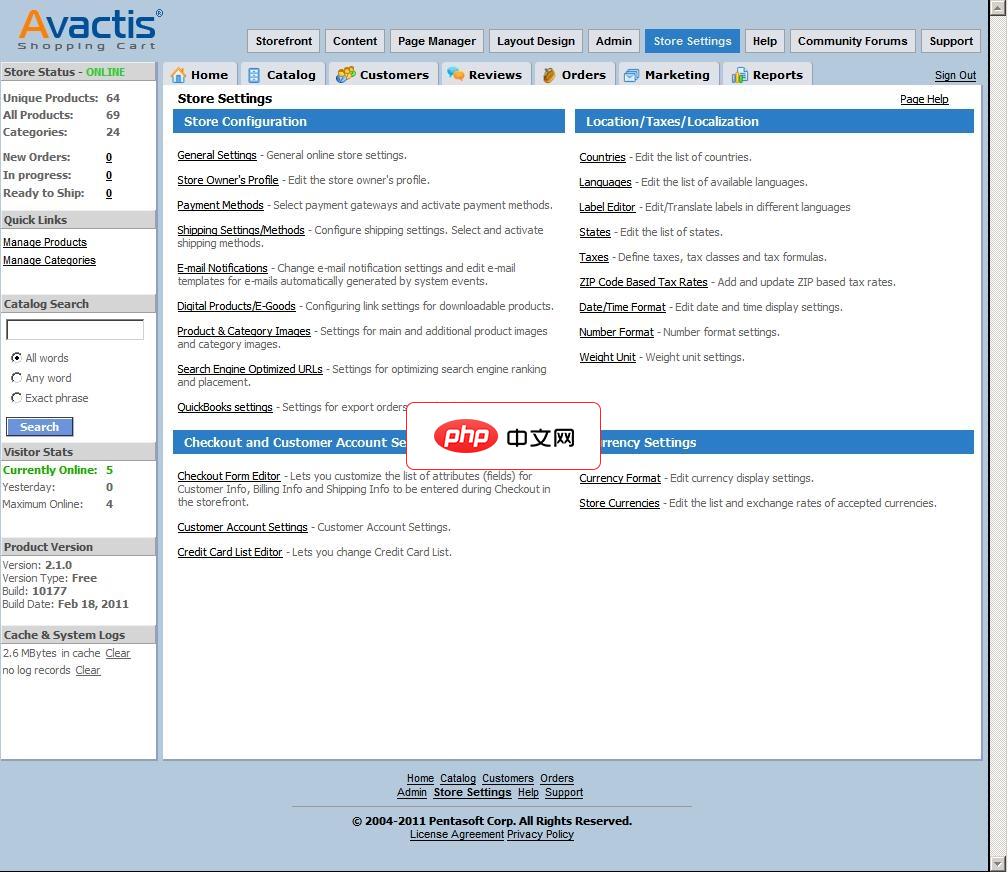
Avactis是一个强大的PHP在线购物系统拥有多个版本包括开源版本。它具备一个在线购物系统所需要的所有功能从产品到会员管理,订单和营销。可以无限分类和为产品指定任务数量的图片(支持自动生成缩略图)。使用自定义字段功能,让你可以更好地定义一个产品。该系统提供以非常灵活的方式来创建任意类型的促销活动如设置折扣代码,基于价格的折扣或基于数量的折扣等。
include('SimpleImage.php');
$image = new SimpleImage();
$image->load('picture.jpg');
$image->resizeToWidth(250);
$image->save('picture2.jpg');
You may wish to scale an image to a specified percentage like the following which will resize the image to 50% of its original width and height
如果你要按照指定的百分比来Resize图片
include('SimpleImage.php');
$image = new SimpleImage();
$image->load('picture.jpg');
$image->scale(50);
$image->save('picture2.jpg');
You can of course do more than one thing at once. The following example will create two new images with heights of 200 pixels and 500 pixels
你可以同时处理更多的事情。下面的例子就是创建了两个新的图片,高度分别为200px和500px
include('SimpleImage.php');
$image = new SimpleImage();
$image->load('picture.jpg');
$image->resizeToHeight(500);
$image->save('picture2.jpg');
$image->resizeToHeight(200);
$image->save('picture3.jpg');
The output function lets you output the image straight to the browser without having to save the file. Its useful for on the fly thumbnail generation
直接浏览器输出图片,并不保存为文件按,这对于联机生成缩略图非常有用
header('Content-Type: image/jpeg');
include('SimpleImage.php');
$image = new SimpleImage();
$image->load('picture.jpg');
$image->resizeToWidth(150);
$image->output();
The following example will resize and save an image which has been uploaded via a form
下面的例子Resize了一个从form上传的图片
load($_FILES['uploaded_image']['tmp_name']);
      $image->resizeToWidth(150);
      $image->output();
   } else {

?>
Further Information(补充信息)This script will eventually be developed further to include functions for easily sharpening, bluring, cropping, brightening and colouring images.
If you have any problems using this script please email us.
If you find this script useful then please consider making a donation to the developer
参考链接地址:
http://www.white-hat-web-design.co.uk/blog/resizing-images-with-php/




