
我照着书敲
Image Zoo
Snapshots
-

-

-

-


Choose an image
这是书配套的
Image Gallery
Snapshots
-

-

-

-


Choose an image.
我的图片名和书的不一样,
JS和CSS即使我复制他的,显示效果仍然不一样
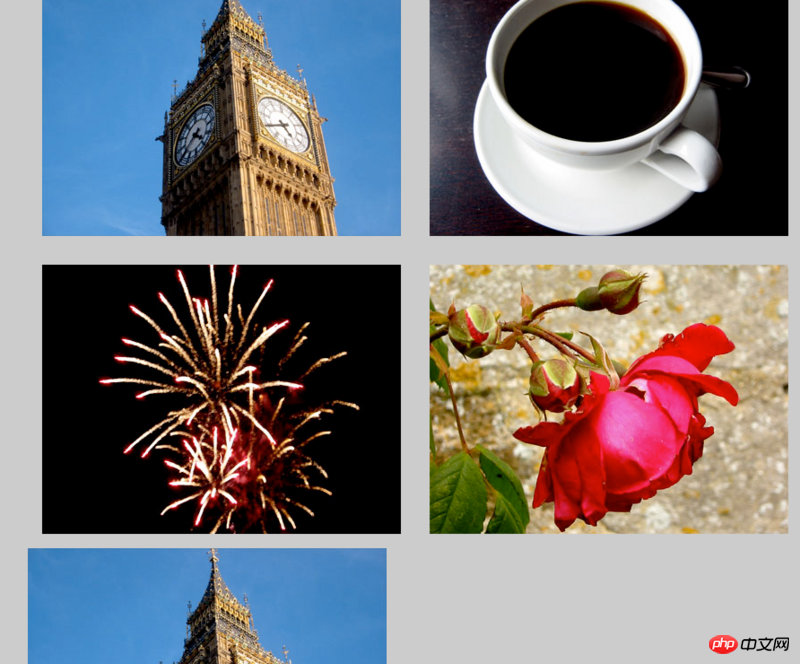
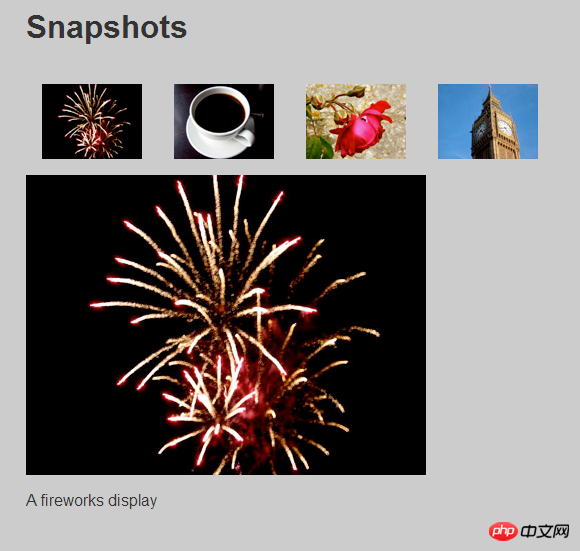
这到底是为什么呢?
这是JS代码
function prepareGallery() {
    if (!document.getElementsByTagName) return false;
    if (!document.getElementById) return false;
    if (!document.getElementById("imagegallery")) return false;

    var gallery = document.getElementById("imagegallery");
    var links = gallery.getElementsByTagName("a");

    for (var i = 0;i < links.length;i++) {
        links[i].onclick = function() {
            return !showPic(this);
        }
    }
}
function showPic(whichpic) {
    if (!document.getElementById("placeholder")) return false;

    var source = whichpic.getAttribute("href");
    var placeholder = document.getElementById("placeholder");
    placeholder.setAttribute("src",source);

    if (document.getElementById("description")) {
        var text = whichpic.getAttribute("title");
        var description = document.getElementById("description");
        description.firstChild.nodeValue = text + "Pics";
    }

    return true;
}

function addLoadEvent(func) {
    var oldonload = window.onload;
    if (typeof window.onload != "function") {
        window.onload = func;
    } else {
        window.onload = function() {
            oldonload();
            func();
        }
    }
}

addLoadEvent(prepareGallery);
这是CSS
body {
  font-family: "Helvetica","Arial",serif;
  color: #333;
  background-color: #ccc;
  margin: 1em 10%;
}
h1 {
  color: #333;
  background-color: transparent;
}
a {
  color: #c60;
  background-color: transparent;
  font-weight: bold;
  text-decoration: none;
}
ul {
  padding: 0;
}
li {
  float: left;
  padding: 1em;
  list-style: none;
}
#imagegallery {
  list-style: none;
}

#imagegallery li {
  display: inline;
}

#imagegallery li a img {
  border: 0;

}
img {
     display:block;
    clear:both;
}


Copyright 2014-2025 https://www.php.cn/ All Rights Reserved | php.cn | 湘ICP备2023035733号


 4
4 524
524








 收藏
收藏










楼主说的这个不就是Image Replacement效果么
书中,
ul下的图片采用的是略缩图(thumbnail_***.jpg):但是你的代码里面,
ul下的图片和#placeholder中的图片都是同一张。图片用的是一样大的? 上CSS代码
cc那儿少了一个
</li>。。你得
正确的应该是: